Shopify product page SEO checklist: titles, descriptions and alt text
Key takeaways
- Every Shopify product page needs a clear, unique product title, its own SEO title and meta description, a real description, alt text on every image, a product type and category, and a short, readable URL handle.
- Keep SEO titles to roughly 50–60 characters and meta descriptions to roughly 150–160, because Google cuts off longer text by pixel width.
- Write descriptions in your own words with a simple structure: who it is for, key benefits, specs, materials and size, then care and shipping.
- Alt text should describe what is in the image in plain words, not repeat a list of keywords.
- Specific facts, consistent product names and answers to common questions make your pages easier for both shoppers and AI search tools to understand and quote.
Product pages are where search traffic turns into sales, yet they are often the least finished part of a Shopify store. This checklist walks through each field on a product page, what good looks like, and the mistakes we see most often.
What makes a good Shopify product title?
A good product title says exactly what the item is, in the words a shopper would search for, and is unique across your catalog.
- Be specific. Include the product name plus the detail that sets it apart, such as material, size or model.
- Avoid duplicates. If five products are all called "Classic Mug", neither shoppers nor Google can tell them apart. Add the colour, size or design.
- Skip the clutter. No ALL CAPS, no "BEST SELLER!!!", no stacks of keywords.
Example:
- Before: Mug
- After: Stoneware Coffee Mug, 350 ml, Speckled Sage
How long should the SEO title and meta description be?
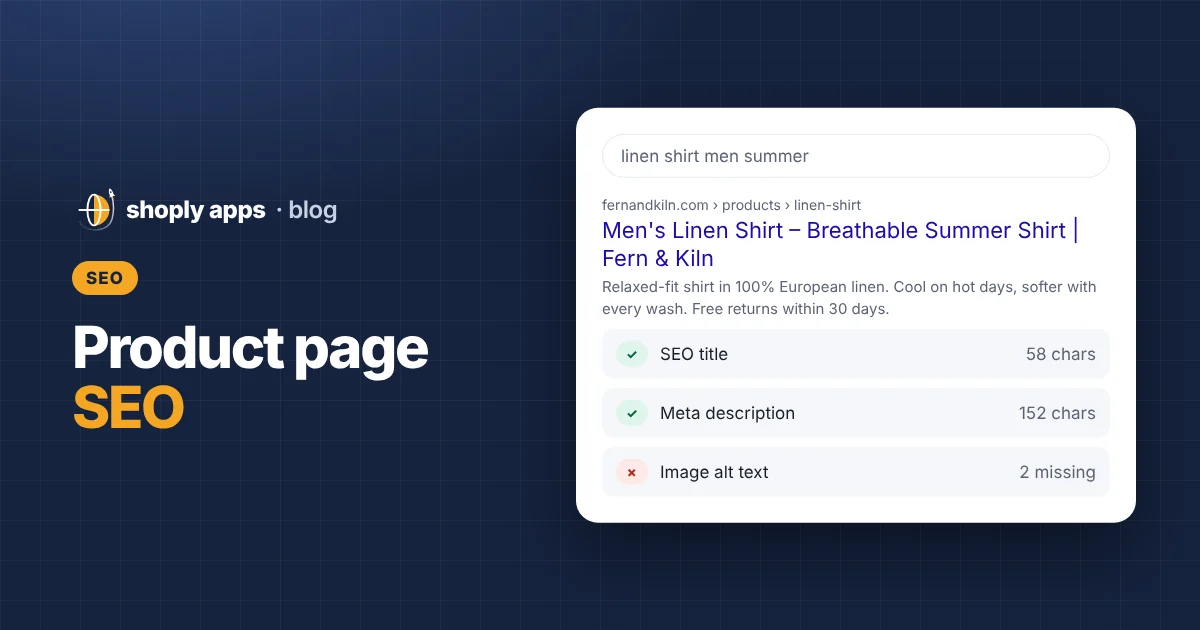
Aim for roughly 50–60 characters for the SEO title and roughly 150–160 characters for the meta description. Google truncates by pixel width rather than an exact character count, so these are guides, not hard limits.
The SEO title (also called the page title) is the clickable blue headline in search results. The meta description is the short summary underneath. On Shopify you edit both in the product's search engine listing section, near the bottom of the product page in your admin. If you leave them empty, Shopify fills them in automatically, typically from the product title and the start of the description, which often reads awkwardly.
- SEO title: put the most important words first, then add your store name if there is room. Example: Stoneware Coffee Mug 350 ml, Speckled Sage | Fern & Kiln.
- Meta description: one or two sentences that say what it is and why someone should click. Example: Handmade stoneware mug that holds 350 ml, with a speckled sage glaze. Dishwasher safe. Ships in 2 business days.
- Make each one unique. Copying the same description across a range of products wastes the space.
Google sometimes rewrites titles and snippets, so you cannot fully control what appears, but a clear version gives it the best material.
Why do empty or very short product descriptions hurt?
An empty or two-line description leaves shoppers without the details they need to buy, and gives search engines very little to understand what the page is about. Both lead to fewer sales from the same traffic.
You don't need long essays. A simple, repeatable structure works for most products:
- Who it is for: one sentence on the person or use case.
- Key benefits: two to four short points on why it is worth buying.
- Specs: dimensions, capacity, weight, compatibility.
- Materials and size: what it is made of, sizing notes or a fit guide.
- Care and shipping: how to wash or maintain it, and when it ships.
Avoid pasting the manufacturer's text word for word. The same paragraph is likely on many other stores, so your page has nothing of its own to offer. Rewrite it in your voice and add details only you know, such as how it fits or what customers ask about.
What should you write in image alt text?
Alt text (alternative text) is a short written description of an image. Screen readers read it aloud to visually impaired shoppers, and search engines use it to understand the image. Describe what is actually in the picture, in plain words.
You can add alt text to each image in the product's media section in Shopify. Some good and bad examples:
| Bad alt text | Good alt text |
|---|---|
| (empty) | Speckled sage stoneware mug on a wooden table |
| IMG_4821.jpg | Side view of the mug showing the curved handle |
| mug coffee mug best mug ceramic mug buy mug | Mug filled with coffee next to a slice of cake, for scale |
Keep it to a sentence. Mention colour or variant when the image shows a specific one, and don't start with "Image of", since screen readers already announce that it is an image.
What are product type and product category for?
Product type and product category both organise your catalog, but they do different jobs.
- Product type is a free-text label you choose, such as "Mug" or "Tote bag". It is handy for automated collections and storefront filters, so keep the spelling consistent ("Mug", not "Mugs" on some products and "mug" on others).
- Product category is picked from Shopify's standard list of categories. It helps Shopify and connected channels, such as Google, understand exactly what you sell. We cover this in more detail in Google Shopping on Shopify: GTIN, brand and product category explained.
What is a good URL handle?
The URL handle is the last part of a product's web address, for example /products/stoneware-coffee-mug-sage. A good handle is short, lowercase, uses hyphens between words and describes the product.
- Shopify creates the handle from the first title you type, so check it if you renamed the product later.
- Remove filler such as "copy-of" or random numbers left over from duplicating products.
- Change handles on established products only when needed. When you edit one, Shopify offers to create a redirect from the old address; keep that option on so old links and search results still work.
How do you make product pages easy for AI search tools to quote?
AI search tools such as ChatGPT, Perplexity and Google AI Overviews pull answers from pages that state clear, specific facts. The same habits that help shoppers help these tools understand and quote your products.
- Use specific facts. "Holds 350 ml, 9.5 cm tall, dishwasher and microwave safe" is easier to quote than "perfect size for your morning brew".
- Keep names consistent. Use the same product name in the title, description, image alt text and SEO title. Switching between "sage mug", "green cup" and "Fern mug" makes it harder to tell they are one product.
- Answer common questions on the page. If customers often ask whether it fits a car cup holder or how long shipping takes, add a short question-and-answer section to the description.
- Make it readable as text. Important details like sizes and materials should be written out, not only shown inside an image.
There is no guarantee any tool will quote a given page, but clear, factual content gives you the best chance.
Product page SEO checklist at a glance
Use this as a quick check before you publish a product.
| Field | What good looks like | Common mistake |
|---|---|---|
| Product title | Specific and unique: name plus the detail that sets it apart | Same title on several products, or keyword stuffing |
| SEO title | Roughly 50–60 characters, key words first | Left on default or far too long, so it gets cut off |
| Meta description | Roughly 150–160 characters, says what it is and why to click | Empty, or identical across many products |
| Description | Who it is for, benefits, specs, materials and size, care and shipping | Empty, one line, or copied from the manufacturer |
| Image alt text | One plain sentence describing the image | Missing, a file name, or a list of keywords |
| Product type | Consistent label used across similar products | Blank, or spelled differently on each product |
| Product category | The most specific matching category from Shopify's list | Not set at all |
| URL handle | Short, lowercase, hyphenated, descriptive | "copy-of-" prefixes or random numbers |
Checking this by hand works for a small catalog. Once you have hundreds of products, it is easy to miss gaps. Our app, Shoply: Item Scan & Analytics, flags issues like missing descriptions, images without alt text, missing SEO descriptions, SEO titles that are too long, duplicate titles and missing product types or categories across your whole catalog. It is also worth adding these checks to a regular routine, like the one in our monthly catalog health checklist.
FAQ
Does Shopify fill in the SEO title and meta description automatically?
Yes. If you leave them empty, Shopify typically uses the product title and the start of the product description. Writing your own usually gives a clearer, better-fitting result in search.
How long should a Shopify product description be?
There is no fixed length. Aim for enough to cover who it is for, key benefits, specs, materials and size, and care and shipping. For most products that is a few short paragraphs or a short paragraph plus a list.
Can I use the manufacturer's product description?
You can use it as a source of facts, but rewrite it in your own words. Copied text appears on many other sites, so it does little to help your page stand out to shoppers or search engines.
Should I change URL handles on existing products?
Only when the current handle is clearly wrong or messy. When you do, keep Shopify's redirect option on so links and search results pointing to the old address still work.
Find SEO gaps across every product page
Shoply: Item Scan & Analytics, free on the Shopify App Store, scans your catalog for missing descriptions, alt text, SEO fields and categories, then helps you fix them in bulk.
Install free on Shopify