Why shoppers abandon carts on Shopify, and how to fix it
Key takeaways
- Cart abandonment rate = 1 − (completed orders ÷ carts created); some abandonment is normal because many shoppers are only browsing, comparing or saving items for later.
- Common avoidable causes are surprise costs at checkout, hidden delivery times, forced account creation, too few payment options, weak trust signals, slow mobile pages and stock or price surprises.
- To reduce cart abandonment, show shipping costs and delivery times before checkout, allow guest checkout, offer the payment methods your customers expect and make your returns policy and contact details easy to find.
- Use Shopify's conversion reports to see where shoppers drop off (cart, checkout or payment) and fix the biggest drop first, changing one thing at a time.
A shopper adds something to their cart, gets partway to paying, and leaves. That is cart abandonment, and almost every store has it. The good news is that many of the reasons are fixable before the shopper ever leaves. This guide explains how to measure it, why customers abandon carts, and how to reduce cart abandonment on your Shopify store with one fix per cause. If you want to win back people who have already left, our guide to Shopify abandoned cart recovery emails covers that side.
What is cart abandonment rate, and how do you calculate it?
Cart abandonment rate is the share of carts that never become an order. You calculate it by dividing completed orders by carts created and subtracting the result from 1.
Cart abandonment rate = 1 − (Completed orders ÷ Carts created)
A worked example: in one month your store has 500 carts created and 150 completed orders.
- 150 ÷ 500 = 0.30, so 30% of carts became orders.
- 1 − 0.30 = 0.70, so your cart abandonment rate is 70%.
That number will never be zero. Plenty of people use a cart as a wish list: they add items to compare prices, check the total with shipping, wait for payday or show a partner. You cannot fix intent that was never there. What you can fix is the shopper who wanted to buy and was stopped by something in your store.
Why do customers abandon carts on Shopify?
Most shoppers abandon carts because something at the cart or checkout surprised, annoyed or worried them, or because they were never ready to buy. The sections below cover the most common causes, each with a fix. These are common patterns, not survey results, so check your own numbers to see which ones apply to you.
Are surprise costs and delivery times driving shoppers away?
Often, yes. Anything that changes the deal between the product page and the payment step gives the shopper a reason to stop and reconsider.
Why do unexpected costs at checkout cause abandonment?
A shopper decides to buy at one price, then sees a higher total once shipping, taxes or import duties are added.
The fix is to show costs early:
- State your shipping rates, or "free shipping over X", on product pages and in the cart.
- Make sure the shipping rates you set in Shopify match what you advertise. Our Shopify shipping settings guide explains zones and rates.
- Consider a free shipping threshold to absorb the cost on larger orders, but work out the numbers first; see how to set a free shipping threshold that protects your margin.
- If you sell across borders, say clearly whether taxes and duties are included or due on delivery. Handle sales tax and VAT as your country requires, and ask a local accountant if unsure.
What if delivery times are slow or not shown upfront?
If a shopper only learns at checkout that delivery takes three weeks, many will leave. Put an honest estimated delivery time on product pages and in your shipping policy, and use clear shipping rate names at checkout, such as "Standard (5 to 8 business days)".
Is your checkout making it hard to pay?
Every extra step or missing option at checkout is a chance to leave. Three common ones are forced accounts, missing payment methods and the discount code box.
Does forcing account creation hurt sales?
Yes, for many first-time buyers. Being asked to create a password before paying is extra work at the worst moment. Shopify lets customers check out as guests, so make sure guest checkout is allowed in your checkout and customer account settings.
What if shoppers cannot pay the way they want?
Shoppers who usually pay with a digital wallet or a local payment method may leave if they cannot find it. Review the payment methods you have turned on and compare them with what your customers commonly use. Which wallets and methods are available depends on your payment provider and your country, so check the options inside your Shopify payment settings rather than assuming.
Do shoppers trust your store, and does it work on a phone?
If a shopper doubts your store or struggles to use it, they will leave even when the price is right.
How do trust concerns stop people from buying?
A new store asking for card details has to earn trust. Shoppers hesitate when they cannot find a returns policy, contact details or any sign that real people have bought before. Fixes:
- Write a clear returns and refunds policy and link it from the footer and product pages.
- Show a real email address and, if you have one, a business address or phone number.
- Collect and display product reviews once you have orders.
- Use real product photos and full descriptions.
Can slow or broken mobile pages cause abandonment?
Yes. Many shoppers browse on their phones, and a cart drawer that will not close or a checkout button hidden below a pop-up is enough to lose them. Test your own store on a phone at least once a month: add a product, open the cart, start checkout. Remove apps you no longer use and compress large images.
Does the discount code box send shoppers away?
It can. A visible "discount code" field tells shoppers that codes exist, so some leave to search for one and never come back. If you run a promotion, apply it automatically or show the code on the site so nobody has to hunt.
What about stock surprises and shoppers who are just browsing?
Some carts are lost to problems in your catalog, and some were never going to convert today.
What about out-of-stock items or price surprises?
Nothing kills a purchase faster than a sold-out message at checkout or a price that does not match the product page. It happens when inventory is untracked or stock counts are wrong. Keep stock accurate and hide or mark items that cannot ship; our guide to out of stock and oversold products on Shopify walks through it. Shoply: Item Scan & Analytics, free on the Shopify App Store, flags products that are out of stock, taking orders with no stock or likely to sell out soon, along with products missing descriptions or images.
What about shoppers who are just browsing?
Some carts were never going to convert today, and that is fine. Make it easy to come back: a save-for-later or wishlist option keeps the item close, and recovery emails remind shoppers who left an email address. That is where abandoned cart recovery emails come in.
How do you match symptoms to causes?
Look at where shoppers leave and what they saw just before. This table maps common symptoms to a likely cause and a first fix.
| Symptom | Likely cause | Fix |
|---|---|---|
| Many carts, few reach checkout | Shipping cost or delivery time revealed in cart | Show shipping and delivery times on product pages |
| Drop at the shipping step of checkout | Higher shipping cost than expected, or duties | Advertise rates early; review a free shipping threshold |
| Drop at the payment step | Missing preferred payment method | Turn on the methods your provider supports for your market |
| Drop at the first checkout screen | Account required, or trust doubts | Allow guest checkout; show returns policy and contact details |
| Mobile converts far worse than desktop | Slow pages or broken layout on phones | Test checkout on a phone; remove unused apps and heavy images |
| Complaints about items being unavailable | Inaccurate stock or untracked inventory | Track inventory and fix stock counts |
| Drop after a code field appears | Shoppers leave to look for codes | Use automatic discounts or show the code on site |
Where in the funnel are you losing the most shoppers?
Your funnel is the path from visiting your store to placing an order. Find the step with the biggest drop and fix that first, because it has the most shoppers to win back.
Here is an example month for a small store. The numbers are made up for illustration.
| Step | Shoppers | Carried on from previous step | Lost at this step |
|---|---|---|---|
| Sessions | 20,000 | – | – |
| Added to cart | 1,000 | 5% | 19,000 |
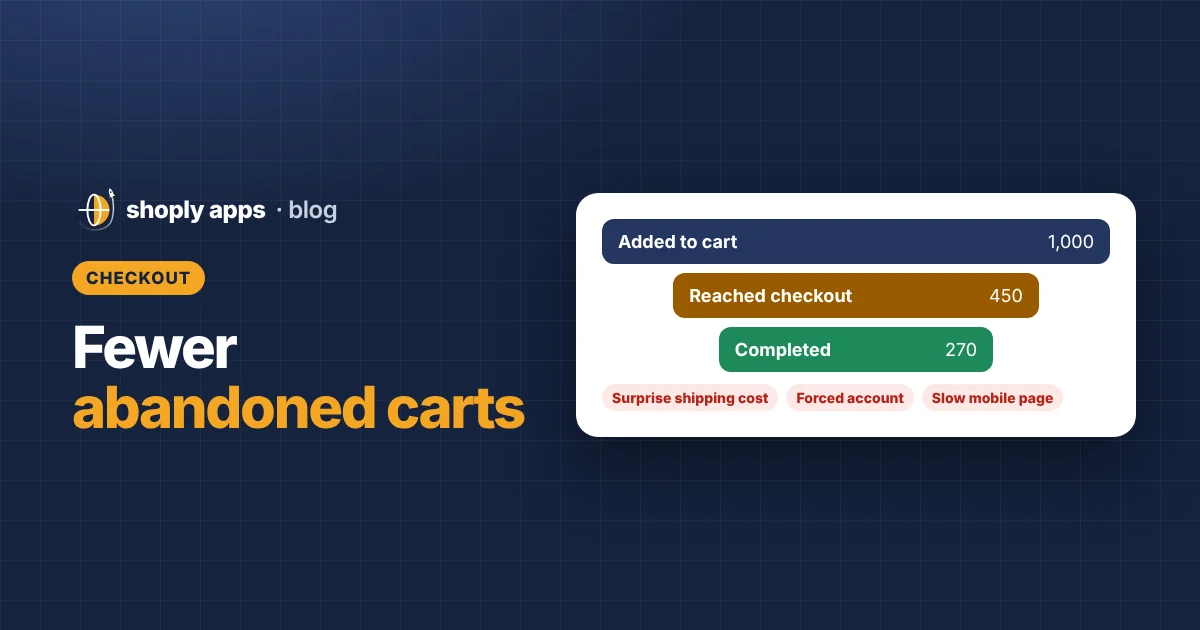
| Reached checkout | 450 | 45% | 550 |
| Completed order | 270 | 60% | 180 |
The cart abandonment rate here is 1 − (270 ÷ 1,000) = 73%. But where does it happen? 550 of those carts never reached checkout, three times as many as the 180 lost inside checkout. So the first thing to fix is the cart itself: shoppers are likely seeing something there they did not expect, such as a shipping cost or delivery time. Showing shipping on the product page would be the first test. The step from sessions to cart is a product page and traffic question; our guide to increasing your Shopify conversion rate covers that.
How do you find your own numbers in Shopify?
Open Analytics in your Shopify admin and look for the conversion or funnel reports. They show sessions, how many added to cart, how many reached checkout and how many completed an order. Report names change over time, so search for "conversion" if needed.
Use at least a month of data so a few odd days do not mislead you, and compare mobile with desktop if the report lets you. Write down your starting numbers.
How do you reduce cart abandonment without guessing?
Change one thing at a time and measure it. Change three things in one week and you will not know which one helped.
- Pick the biggest drop in your funnel.
- Choose the one fix most likely to address it.
- Note the date and your current numbers.
- Run it for two to four weeks, or until you have a meaningful number of carts.
- Compare the same step before and after, allowing for seasonal swings and promotions.
- Keep it if it helped, undo it if not, then move to the next drop.
FAQ
How do I calculate my cart abandonment rate?
Divide completed orders by carts created, then subtract the result from 1. For example, 150 orders from 500 carts gives 1 − 0.30 = 0.70, a 70% cart abandonment rate.
Can I get cart abandonment down to zero?
No. Some shoppers add items to compare prices, save them for later or check the total, and never planned to buy that day. Aim to remove the avoidable reasons, such as surprise costs and checkout friction, and track whether your rate improves over time.
Is it better to prevent cart abandonment or send recovery emails?
Do both, but start with prevention. Fixing the cause, such as hidden shipping costs, helps every shopper, while recovery emails only reach shoppers who left an email address or were logged in.
Does Shopify allow guest checkout?
Yes, Shopify lets you sell to customers without making them create an account. Check your checkout and customer account settings to make sure accounts are not required, so first-time buyers can pay straight away.
Stop stock and product surprises from costing you sales
Shoply: Item Scan & Analytics, free on the Shopify App Store, scans every product for stock and content problems that can lose a sale, such as items out of stock or missing descriptions, and ranks them by money at stake each month.
Install free on Shopify