How to set a free shipping threshold that protects your margin
Key takeaways
- A free shipping threshold means "free shipping on orders over a set amount", which gives shoppers a reason to add a little more to their cart.
- A sensible starting point is a threshold roughly 15–30% above your current average order value (AOV), for example €45 if your AOV is €38, and then test it.
- Before you launch, check that an order just above the threshold still makes a profit after product cost, the shipping you now pay, payment fees and discounts.
- Low-cost, high-margin add-on products priced close to the typical gap help shoppers reach the threshold without hurting your margin.
- Judge the result by AOV, conversion rate, shipping cost as a share of revenue and profit per order, comparing equal periods before and after.
A free shipping threshold is a rule like "free shipping on orders over €45": below that amount the customer pays for delivery, above it you do. Set well, it nudges shoppers to buy a little more per order. Set badly, it hands away your profit on every parcel. This guide shows you how to pick the number, check the maths and set it up on Shopify.
What is a free shipping threshold, and why can it raise order value?
A free shipping threshold is the minimum order value a customer must reach to get free delivery. It can raise your average order value (AOV), which is your total revenue divided by the number of orders, because a shopper who is a few euros short often prefers to add another item rather than pay for shipping.
It does not work for every store. If most of your customers buy one expensive item, or your shipping costs are very high compared with your prices, a threshold may change little. That is why you test it rather than assume it.
What are the ways to offer free shipping?
There are three common approaches: make shipping always free and build its cost into your prices, offer free shipping over a threshold, or give free shipping only with a discount code or membership. Each one moves the shipping cost somewhere different.
| Option | How it works | Pros | Cons |
|---|---|---|---|
| Always free, built into prices | Every order ships free; product prices are raised to cover average shipping | Simple message, no surprise at checkout | Higher shelf prices; small orders can lose money; no push to add more |
| Free over a threshold | Free shipping when the order reaches a set amount, paid shipping below it | Encourages bigger orders; small orders still cover shipping | Needs margin maths and clear messaging; some shoppers still see a shipping fee |
| Free with a code or membership | Free shipping only for people with a code, a loyalty tier or a paid membership | Targeted and easy to limit; good for campaigns or repeat buyers | Most visitors never see the offer; codes get shared; more to manage |
Many stores combine them. If you are still setting up zones and rates, start with our guide to Shopify shipping settings.
How do you choose the right free shipping threshold?
Start from your current AOV and set the threshold a little above it, so a typical shopper needs to add one small item to qualify. A threshold roughly 15–30% above your AOV is a reasonable first test, not a rule.
Worked example (example numbers): your AOV over the last 90 days is €38.
- 15% above €38 = €43.70
- 30% above €38 = €49.40
- A round number in that range: €45
Then sanity-check it against your catalog:
- Too low: if many orders already land above it, you simply start paying shipping on orders that would have come anyway.
- Too high: if it is far above what most people spend, shoppers give up on the idea and nothing changes.
- Check your prices: look at what one common product plus one small add-on costs. If that combination lands just above the threshold, it is easy to reach.
You can find your AOV in your Shopify analytics. Use a normal period, not one inflated by a big sale.
How do you make sure free shipping doesn't eat your margin?
Work out the profit on an order that only just qualifies, because that is your weakest free-shipping order. If it still makes money after every cost, the threshold is safe.
Profit = Order value after discounts − Product cost − Shipping you pay − Payment fees
The table below compares three example orders. All numbers are examples: product cost is 45% of the full price, your carrier charges you €6.50 per parcel, and the payment fee is an example of 3% + €0.30. Check your own carrier rates and payment fees, which depend on your plan and provider.
| Line | A: €38 order, customer pays €4.95 shipping | B: €38 order, free shipping for everyone | C: €52 cart, 10% code, free over €45 |
|---|---|---|---|
| Products at full price | €38.00 | €38.00 | €52.00 |
| Discount code | €0.00 | €0.00 | −€5.20 |
| Shipping charged to customer | €4.95 | €0.00 | €0.00 |
| Revenue | €42.95 | €38.00 | €46.80 |
| Product cost | −€17.10 | −€17.10 | −€23.40 |
| Shipping you pay | −€6.50 | −€6.50 | −€6.50 |
| Payment fee (example) | −€1.59 | −€1.44 | −€1.70 |
| Profit | €17.76 | €12.96 | €15.20 |
| Margin | 41.4% | 34.1% | 32.5% |
What this tells you:
- Order C still makes a healthy profit even with a discount code and free shipping, so a €45 threshold is safe at these costs.
- Order C earns less per order than order A, where the customer paid for shipping. A threshold is a trade: you give up some shipping income in the hope of more orders and bigger baskets. That is why you must measure it.
- Free shipping for everyone (order B) costs the most on small orders, unless you raise prices to cover it.
Two warnings. First, decide whether your threshold is checked before or after discount codes, and test it, because a large code can push an order below the line or leave you paying shipping on a heavily discounted order. Second, make sure every product's cost is filled in, or this maths is guesswork. Our guide to dropshipping profit margins walks through pricing with all costs included.
What are gap filler products?
Gap fillers are low-cost add-on products that help a shopper close the gap to the threshold. If many carts sit around €38 and the threshold is €45, items priced around €7–€12 are natural gap fillers.
Good gap fillers:
- Have a healthy margin, so the extra sale pays for part of the shipping. Example: a product that costs you €2.50 and sells for €8 has a margin of about 69%.
- Fit with what people already buy: spare parts, refills, care products, socks with shoes, cases with gadgets.
- Are light and small, so they do not push the parcel into a higher shipping band.
- Are reliably in stock.
Show them where the decision happens: in the cart, on product pages as "goes well with", or in a small collection such as "Under €10".
How should you tell shoppers about free shipping?
Tell them early and remind them often: a threshold only changes behaviour if shoppers know about it before they reach checkout.
- Announcement bar: a short line at the top of every page, such as "Free shipping on orders over €45".
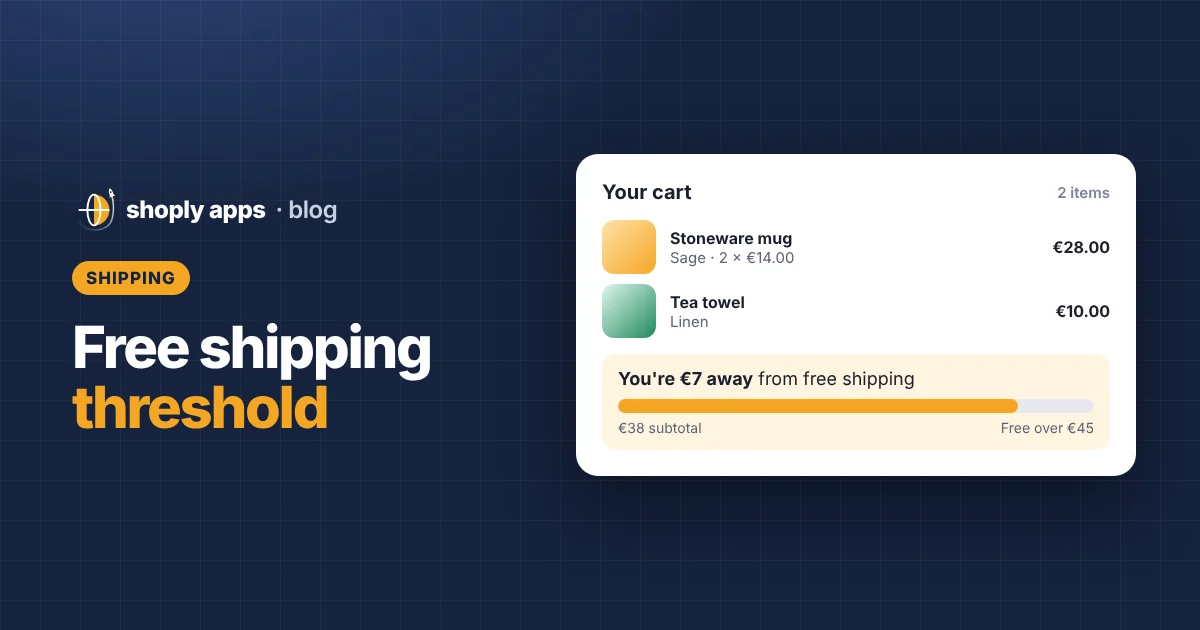
- Cart progress message: show how far they are from the threshold, for example "You're €7 away from free shipping". Many Shopify themes can show this, or you can add it with an app from the Shopify App Store.
- Product pages: a line near the price or add-to-cart button repeating the offer.
Clear shipping costs also matter for checkout completion; unexpected costs are a common reason people leave. Our guide to increasing your Shopify conversion rate covers more fixes like this.
How do you know if your free shipping threshold is working?
Compare a few key numbers over equal periods before and after the change, for example four weeks before and four weeks after, avoiding big sales or holidays in either period.
- AOV: did the typical order get bigger?
- Conversion rate: the share of visitors who place an order. Did it hold steady or rise?
- Shipping cost as % of revenue: total shipping you paid divided by total revenue. Did it jump?
- Profit per order: revenue minus product cost, shipping and fees, divided by the number of orders.
Profit decides it: a higher AOV with lower profit per order and no extra orders means the threshold needs rethinking. If nothing moves, try a different number or better gap fillers, and change one thing at a time.
How do you offer free shipping over a set amount on Shopify?
The usual way is to add a free shipping rate with a minimum order price condition to your shipping zone. Menu names change from time to time, so follow Shopify's help center if anything looks different.
- In your Shopify admin, go to Settings and then Shipping and delivery.
- Open the shipping profile you want to change, then find the zone, for example your home country.
- Add a rate, give it a clear name such as "Free shipping", and set its price to 0.
- Add a condition based on order price and enter your threshold as the minimum.
- Check that your paid rate still exists for orders below the threshold, and set a matching maximum on it if you do not want both rates to show.
- Place a test order just below and just above the threshold, with and without a discount code, to confirm what customers see.
Shopify also offers free shipping discounts, which can have a minimum purchase requirement. These are useful for time-limited campaigns or codes for a specific group.
What about heavy items, international orders and dropshipping?
Handle them separately: a single threshold rarely fits every product and country.
- Heavy or bulky items: put them in a separate shipping profile with their own rates, so one large item cannot get free shipping that costs you more than its profit.
- International zones: shipping abroad usually costs more, so set a higher threshold per zone, or keep paid shipping only for distant zones.
- Dropshipping with several suppliers: an order with items from two suppliers can mean two parcels and two shipping charges. Base your maths on the most expensive realistic combination, not the cheapest. See how to start dropshipping on Shopify for how supplier shipping fits in.
Whatever the case, the threshold only protects your margin if your product prices and costs are right. Shoply: Item Scan & Analytics, free on the Shopify App Store, flags products sold below cost, below your margin target or missing a cost per item, so you can trust the numbers behind your shipping offer. If you want to check manually first, see how to find products you're selling below cost.
FAQ
What is a good free shipping threshold?
There is no single right number. A practical starting point is roughly 15–30% above your current average order value, so if your AOV is €38, test a threshold around €45. Then check the profit on an order just above it and measure the results.
Should I offer free shipping on all orders instead?
Only if your prices cover the shipping cost on your smallest orders. Free shipping on everything is simple to explain, but small orders can lose money and it gives shoppers no reason to add more to their cart.
How do I offer free shipping over a certain amount on Shopify?
In Settings, then Shipping and delivery, add a rate priced at 0 to your shipping zone with a minimum order price condition equal to your threshold. Keep a paid rate for smaller orders and place test orders to check what customers see.
Can I set different thresholds for different countries?
Yes. Shipping rates are set per zone, so you can add a free rate with a different minimum order price in each zone, or leave free shipping out of zones where delivery is too expensive.
Know your margins before you pay for shipping
Shoply: Item Scan & Analytics, free on the Shopify App Store, scans every product for missing costs, below-cost prices and margins under your target, so your free shipping threshold is built on numbers you can trust.
Install free on Shopify