How to calculate the ROI of your Shopify apps (with a simple formula)
Key takeaways
- An app's ROI is the extra profit it brings, minus everything it costs you, divided by what it costs you. Revenue alone tells you nothing.
- The "revenue influenced" number in an app's own dashboard counts whole orders, including sales you would have made anyway, so it always looks bigger than the real gain.
- A fair estimate compares orders that used the app with your regular orders: extra sales = (the app's average order − your regular average order) × its orders.
- Turn extra sales into extra profit with your margin, then subtract the app's monthly price, any % fee on sales and the cost of free gifts or discounts it gives away.
- Check the result over 7, 30 and 60 days, and treat a small number of orders as a "maybe", not a verdict.
Most Shopify stores pay for a few sales apps: a bundle app, an upsell or cross-sell app, a free-gift app, maybe a discount or loyalty tool. Each one costs money every month, and each one has a dashboard that says it is doing great. But very few store owners know whether those apps actually earn back what they cost. This guide shows you how to work out the ROI of any Shopify app from your own orders, with a simple formula you can check in a spreadsheet.
What does ROI mean for a Shopify app?
ROI, or return on investment, compares what an app brings you with what it costs you. For a sales app, what it brings you is not its revenue but the extra profit: the profit on sales that only happened because the app was there.
Net gain = Extra profit − App cost
ROI = Net gain ÷ App cost
An ROI of +100% means the app earned back its cost twice over: for every €1 you paid, you got €2 of extra profit, so €1 of net gain. An ROI of 0% means it exactly paid for itself. Anything below 0% means it cost you more than it earned.
Why the app's own dashboard isn't the answer
Sales apps usually report "revenue influenced", "revenue generated" or "sales from bundles". These numbers add up the full value of every order the app touched. That is useful for seeing that the app is active, but it is not the money the app made for you, for three reasons:
- Many of those orders would have happened anyway. A shopper who adds a bundle was usually going to buy something; only the extra part of the order is the app's doing.
- Revenue isn't profit. A €10 bigger order with a 40% margin is €4 of profit, not €10.
- The cost is left out. Discounts, free gifts and the app's own price all come out of that profit.
So an app can show "€3,000 influenced this month" and still lose you money. The fair question is: how much more did orders with this app bring in than orders without it?
How to calculate the ROI of a Shopify app, step by step
You need four numbers for the same period, for example the last 30 days: the app's orders, their average order value, your regular average order value (orders without any sales app), and your margin.
Step 1: find the app's extra sales
Extra sales = (App's average order − Regular average order) × App's orders
Step 2: turn extra sales into extra profit
Extra profit = Extra sales × Your margin
Your margin is (price − cost) ÷ price. If your products have a cost per item in Shopify, you can work it out from your sales; if not, use your best estimate. Many stores sit somewhere between 30% and 60%.
Step 3: add up everything the app costs you
App cost = Monthly price + % fee on its sales + Free gifts' cost
Some apps charge a flat subscription, some take a share of the sales they touch, and free-gift apps give away products that cost you money. Count all of it for the same period.
Step 4: net gain and ROI
Net gain = Extra profit − App cost
ROI = Net gain ÷ App cost
A worked example with three apps
Here is a made-up store over 30 days. Regular orders (no sales app) average €42.00, and the store's margin is 40%.
| App | Orders | Avg. order | Extra sales | Extra profit | App cost | Net gain | ROI |
|---|---|---|---|---|---|---|---|
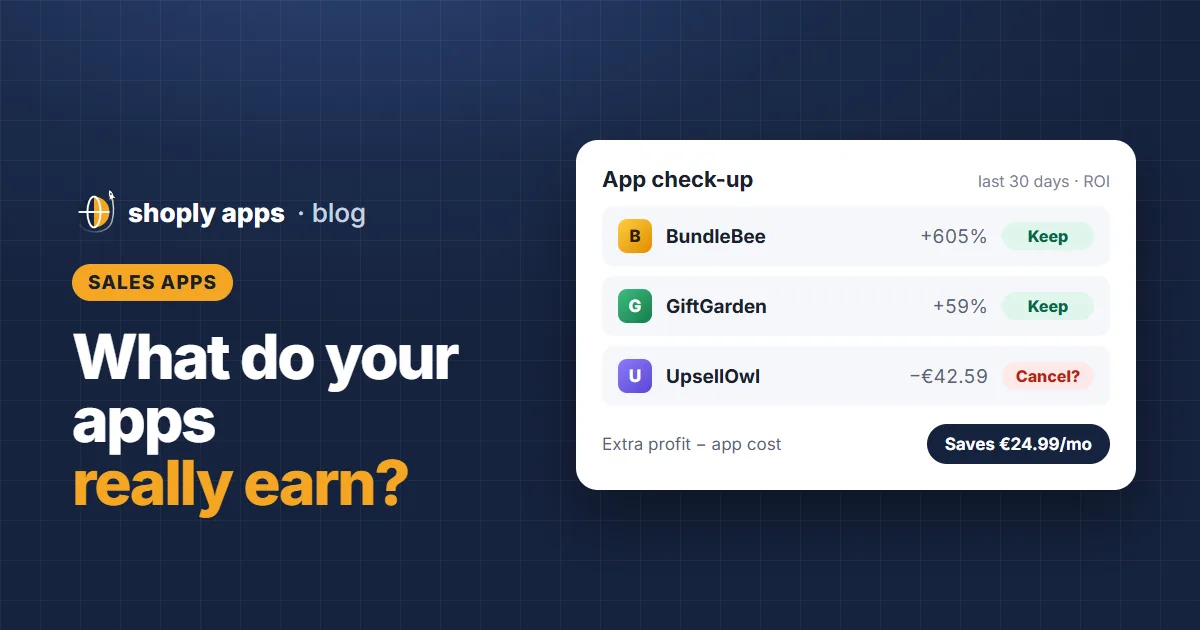
| BundleBee | 96 | €51.00 | €864.00 | €345.60 | €49.00 | +€296.60 | +605% |
| GiftGarden | 64 | €48.00 | €384.00 | €153.60 | €96.79* | +€56.81 | +59% |
| UpsellOwl | 22 | €40.00 | −€44.00 | −€17.60 | €24.99 | −€42.59 | Loses money |
*GiftGarden's cost is its €29 monthly price plus €67.79 of free gifts.
BundleBee clearly pays for itself. GiftGarden pays, but much less, because the free gifts eat most of its gain. UpsellOwl's orders are actually smaller than regular orders, so it costs the store €24.99 a month for nothing; cancelling it would save that money straight away.
How sure can you be about an app's ROI?
The comparison above is a fair estimate, not a lab experiment. Keep these limits in mind before you cancel or keep an app:
- Few orders, big swings. With 10 or 20 orders, one large order can make an app look brilliant or terrible. Wait for more orders before deciding.
- Check more than one period. Look at the last 7, 30 and 60 days. An app that pays in all three is a safe keep; one that only paid last week may be luck.
- Big spenders use more apps. Shoppers who add bundles may simply be bigger spenders. If an app looks good but you are unsure, pause it for two to four weeks and see whether your average order really drops.
- Two apps on one order. If an order used two sales apps, both dashboards claim it. Count it once when you add up what your apps bring in.
How to do it yourself in a spreadsheet
- Export your orders. In your Shopify admin, go to Orders and export the last 30 days as a CSV.
- Mark which orders used each app. Look for the discount code or automatic discount the app creates, or the order tag, note or line-item property it adds. Each app leaves its own marker.
- Average the order totals for each app, and for the orders with no sales app at all.
- Apply the four steps above with your margin and each app's costs.
- Repeat monthly, and look at 7, 30 and 60 days before making a decision.
It works, but it takes time, and the markers differ from app to app. That is why we built Shoply: Apps ROI Tracker. It finds every sales app in your store by itself, compares their orders with your regular orders, and shows each app's extra profit, cost and ROI over 7, 30 and 60 days, with a keep, review or cancel check-up and a "how sure" label on every result. It only reads your data and never changes your store.
FAQ
What is a good ROI for a Shopify app?
Anything above 0% means the app pays for itself. Many store owners want at least +100%, so the app earns back its cost twice, to leave room for the uncertainty in the numbers.
Is "revenue influenced" the same as an app's return?
No. Revenue influenced adds up whole orders the app touched, including sales you would have made anyway. The real return is the extra profit from orders being bigger than your regular orders, minus what the app costs.
How many orders do I need to judge an app?
There is no fixed number, but results based on a handful of orders swing a lot. As a rule of thumb, wait for a few dozen orders with the app, and check that the result points the same way over 30 and 60 days.
See which sales apps pay for themselves
Shoply: Apps ROI Tracker finds every sales app in your store, compares their orders with your regular orders and shows each app's extra profit, cost and ROI, with a keep, review or cancel check-up.
See Apps ROI Tracker