Welcome email series for Shopify stores: what to send and when
Key takeaways
- A welcome email series is a set of automated emails sent to new subscribers in the days after they sign up, while their interest is fresh.
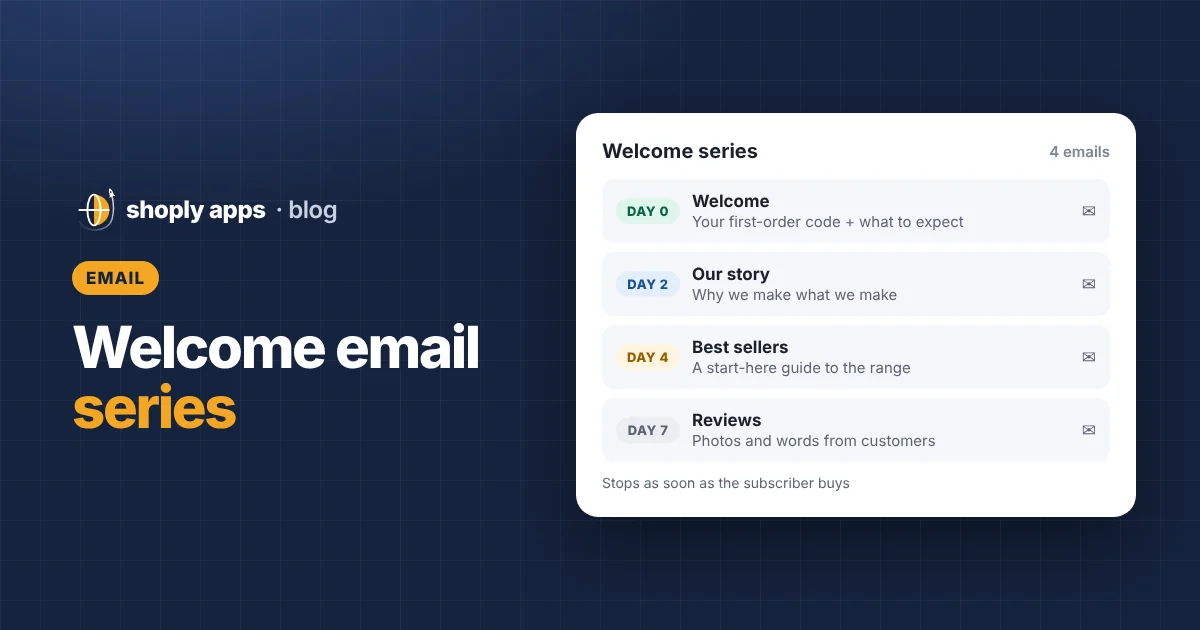
- A simple starting point is four emails: a welcome with any promised code on day 0, your brand story on day 2, best sellers on day 4 and customer reviews on day 7.
- Stop the series once someone buys, send it only to people who gave marketing consent, and make every promise match your checkout terms.
- A welcome discount is optional: 10% off an example $60 order with $30 profit costs $6, a fifth of the profit, so consider free shipping, a guide or early access instead.
- Judge each email by clicks, orders and unsubscribes, and change one thing at a time.
A welcome email series is a short set of automated emails that goes out to each new subscriber in the days after they join your list. It reaches people at the moment they have just shown interest in your shop. This guide gives you a four-email series with example timing, subject lines and full example copy for a fictional store you can adapt.
What is a welcome email series?
A welcome email series is a sequence of emails sent automatically to someone after they subscribe to your email marketing, each one timed a set number of days after signup. You write it once, and every new subscriber gets the same introduction to your store.
The first days after signup matter because the subscriber has just chosen to hear from you. A good series uses that window to keep a promise, explain who you are and point them to products worth a look, before they forget you.
If you are new to email in general, start with our Shopify email marketing guide for beginners.
What should a welcome email series include, and when should each email go out?
A simple and effective series has four emails: a welcome on day 0, your brand story on day 2, best sellers on day 4 and customer reviews on day 7. Treat this timing as a common starting point to test, not a fixed rule; some stores send faster, some slower.
| Day | Goal | Main button | |
|---|---|---|---|
| 1. Welcome | Day 0 (immediately) | Deliver what you promised and set expectations | Shop now (with the code) |
| 2. Brand story | Day 2 | Explain why you exist and what makes your products different | Read our story or See how it's made |
| 3. Best sellers | Day 4 | Help them choose with a "start here" guide to your range | Shop best sellers |
| 4. Social proof | Day 7 | Show reviews and customer photos, remind them of an unused code | See what customers say |
The examples below are for Fernway Home, a made-up store that sells linen bedding and handmade ceramics. Swap in your own products, voice and offer.
Email 1 (day 0): how do you write the welcome email?
Send the first email immediately after signup, deliver whatever you promised in the signup form, and tell the subscriber what to expect next. If your popup offered a first-order code, the code belongs at the top of this email, not buried at the bottom.
Goal: keep the promise and earn the next open.
Subject line examples:
- Welcome to Fernway Home, here's your code
- Your 10% off is inside
- You're in. Here's what happens next
Structure: a one-line welcome, the code or freebie with its terms, one sentence on what they will receive from you and how often, and a single button.
Hi Sam,
Welcome to Fernway Home. As promised, here is 10% off your first order: HELLO10. It works on everything in the shop and is valid for 14 days.
Over the next week we'll send you a few short emails: how we make our linen and ceramics, what our customers love most, and a few photos from real homes. After that, expect about one email a week. You can unsubscribe at any time.
[Shop now]
Laura, founder of Fernway Home
Email 2 (day 2): what goes in the brand story email?
The second email explains why your store exists and what makes your products different from the cheaper version they could find elsewhere. Focus on the customer's benefit.
Goal: build trust and give a reason to choose you.
Subject line examples:
- Why we started Fernway Home
- The linen that gets softer every wash
- Made slowly, on purpose
Structure: a short origin story (two or three sentences), two or three concrete differences, one photo of the product being made or used, and one button.
Hi Sam,
Fernway started when I couldn't find bedding that felt good on day one and still looked good after a year. So we went looking for the people who make it properly.
Our linen is stonewashed before it reaches you, so it starts soft and gets softer. Our mugs and bowls are thrown by hand in small batches, so no two are exactly alike. And everything is chosen to be used every day, not kept for best.
[See how it's made]
Only claim what you can back up. If you dropship, talk about how you choose and check products.
Email 3 (day 4): how do you present best sellers?
The third email helps a new subscriber decide what to buy first by showing your best sellers or a short "start here" guide to your range.
Goal: turn interest into a click on a specific product.
Subject line examples:
- Our three best sellers (and who they're for)
- New here? Start with these
- What most people buy first
Structure: three to four products, each with a photo, a one-line reason to buy and a link straight to its product page.
Hi Sam, not sure where to start? Here's what most new customers pick first:
Linen duvet cover: the one that started it all, in six colours.
Stoneware mug set: four hand-thrown mugs, each slightly different.
Linen tea towels: the easiest way to try our linen.[Shop best sellers]
Check those products before the email goes live: in stock, with good photos and a clear description. Sending a subscriber to a sold-out item or an empty product page wastes the click. Our guide to increasing your Shopify conversion rate covers what a product page needs.
Email 4 (day 7): how do you use reviews and social proof?
The fourth email lets your customers do the talking with short reviews and photos from real buyers, and gently reminds the subscriber of their code if it has not been used.
Goal: reduce doubt and prompt a first order.
Subject line examples:
- "Softest sheets I've owned," says Priya
- Fernway in real homes
- Your code expires soon
Structure: two or three real reviews with first names, two or three customer photos (with their permission), and a short reminder of the code and its expiry date.
Hi Sam, here's what Fernway looks like outside our studio:
[Two customer photos and two short reviews]
P.S. Your 10% off code HELLO10 is still waiting and is valid until 3 November.
[See what customers say]
Use only genuine reviews. If you are a new store with none yet, use this slot for an FAQ about delivery and returns instead, and add reviews later.
What rules should every Shopify welcome email follow?
Three rules keep a welcome series useful:
- Stop once someone buys. A customer who placed an order on day 3 should not get "your code expires soon" on day 7. Set the series to end, or switch to a different branch, when the subscriber places an order, and let your post-purchase emails (order updates, care tips, a review request) take over.
- Send only to people who gave marketing consent. Someone who bought without ticking the marketing box is a customer, not a subscriber. Follow the email marketing and privacy rules in the countries you sell to; if you are unsure, ask a local adviser.
- Keep promises consistent with checkout. The code, its minimum spend, its expiry and any excluded products must match what actually happens at checkout. Test the code yourself before launch.
Should you offer a welcome discount?
A welcome discount is optional. It can give a hesitant first-time buyer a reason to act, but it comes straight out of your profit, and it can teach subscribers to wait for codes.
Here is an example of what 10% off costs on a single first order. The numbers are illustrative: a $60 order, $24 of product cost and $6 of shipping you pay for.
| Example first order | Customer pays | Your costs | Profit | Margin |
|---|---|---|---|---|
| No discount | $60.00 | $30.00 | $30.00 | 50.0% |
| 10% welcome code | $54.00 | $30.00 | $24.00 | 44.4% |
Discount cost = Order value × Discount %
$60 × 10% = $6, which is 20% of the $30 profit
A "10%" code took a fifth of the profit on this order. On thin-margin products it can take most of the profit. Before you choose an offer, run your own numbers with our guide to profit margins and pricing.
Alternatives that can cost less or protect your prices:
- Free shipping on the first order. It costs you your actual shipping cost, which may be lower than a percentage discount on a larger order. See how to set a free shipping threshold to work out what shipping really costs you.
- A useful guide. For example, a linen care guide or a "how to choose the right size" guide.
- Early access. First look at new products or restocks, which costs nothing and suits stores with limited runs.
How do you set up a welcome email series in Shopify?
You set it up as an email automation, either with Shopify's built-in email and marketing automation tools or with an email app from the Shopify App Store. Check the current options in your admin, as features change.
- Choose the trigger. Use a trigger along the lines of "customer subscribes to email marketing", so the series starts when someone joins your list.
- Add the emails and waits. Email 1 straight away, then wait steps before emails 2, 3 and 4 (for example, 2, 2 and 3 days).
- Add the purchase exit. Add a condition so subscribers who have placed an order leave the series or move to a different branch, if your tool supports it.
- Create the discount. Set up the code in Shopify's discounts with the same terms your emails promise.
- Test it. Subscribe with your own email, check every link and the code, and read the emails on your phone.
Once the welcome series is running, the next automation most stores add is abandoned cart recovery.
How do you know if your welcome series is working?
Look at each email on its own: clicks, orders and unsubscribes. Open rates are less reliable than they used to be because some email apps load images automatically, so treat them as a rough signal only.
| If this email underperforms | What to try |
|---|---|
| Low clicks | Make one button the obvious next step, cut the text, test a more specific subject line. |
| Clicks but few orders | Check the landing page: stock, price, photos, delivery info. The problem is often on the page, not in the email. |
| High unsubscribes | Check that the email matches what the signup form promised, and consider spacing the emails further apart. |
Change one thing at a time and give each change a few weeks of new subscribers before judging it.
Because the series sends people to your product pages, those pages need to hold up. We are building Shoply: Item Scan & Analytics, free on the Shopify App Store, which flags products that are out of stock, missing a description or image, or selling below your margin target, so you can fix them before your emails send traffic there.
FAQ
How many emails should a welcome email series have?
Three to five is common. A four-email series covers the essentials: a welcome with any promised code, your brand story, your best sellers and customer reviews. Start there and add or remove emails based on clicks, orders and unsubscribes.
When should the first welcome email be sent?
Immediately after someone subscribes. They have just shown interest and may be waiting for a promised code, so a delay makes the first email less useful.
Should the welcome series stop after someone buys?
Yes. Once a subscriber places an order, end the series or move them to a different branch, and let post-purchase emails take over, so buyers do not get reminders about a code they already used.
Do I need a discount in my Shopify welcome email?
No. A discount can encourage a first order but reduces your profit. Free shipping on the first order, a useful guide or early access to new products are alternatives. Check your margins before you choose.
Make sure your welcome emails land on pages that sell
Shoply: Item Scan & Analytics, free on the Shopify App Store, scans every product for problems like out of stock, missing descriptions or images and prices below your margin target, so the products you feature in your welcome series are ready to sell.
Install free on Shopify