Why use Shopify? Pros, cons and who it's best for
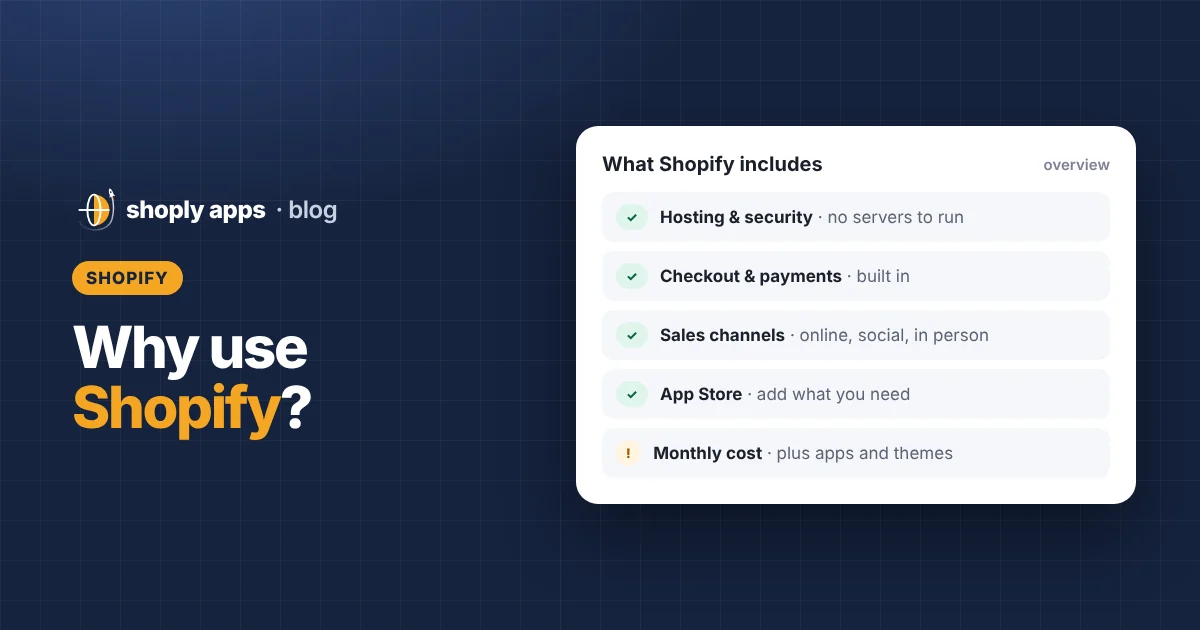
Key takeaways
- Shopify is a hosted ecommerce platform: you pay a monthly subscription and Shopify handles hosting, security updates and checkout.
- The main pros are a fast no-code start, built-in payments and checkout, selling online and in person from one admin, and a large app and theme ecosystem.
- The main cons are monthly costs that grow with apps and themes, possible transaction fees without Shopify Payments, and less control than self-hosted software.
- Shopify is a good fit for beginners and growing stores that want to sell without managing technology; check Shopify's current pricing page before you choose a plan.
Why use Shopify? Because it lets you open an online store without building or running a website yourself: you pay a monthly subscription, and Shopify handles the hosting, security updates and checkout while you focus on products and customers. It is not perfect, though. Costs add up, some features need apps, and you are building on a platform you don't control. This guide covers the honest pros and cons so you can decide if it fits you.
What is Shopify?
Shopify is a hosted ecommerce platform: software you rent by the month to build, run and sell from an online store. "Hosted" means Shopify runs the servers, keeps the software updated and secures the checkout, so you never install anything or manage a web server.
From one admin (the back office where you manage your store) you add products, set prices and shipping, take payments, fulfil orders and see reports. You choose a theme for the look of your store, and you can add extra features from the Shopify App Store.
Why use Shopify? What are the main pros?
The main advantages are speed to launch, low maintenance and a lot of selling tools in one place. Here are the Shopify pros and cons in detail, starting with the pros.
1. Quick to start without code
You pick a theme, then customise it with a drag-and-drop editor: add sections, change colours and fonts, upload a logo and rearrange the home page. Many first stores are built without touching a line of code.
2. Hosted and maintained for you
There are no servers to rent, no software updates to install and no security patches to remember. An SSL certificate (the padlock that encrypts traffic between shoppers and your store) is included.
3. A well-regarded checkout and Shop Pay
The checkout is built and maintained by Shopify, so it is tested at a large scale and kept up to date. Shop Pay is Shopify's accelerated checkout: shoppers who have saved their details can pay in fewer steps. How much that helps depends on your store and customers.
4. Payments built in
In countries where it is available, Shopify Payments lets you accept cards and popular wallets without setting up a separate payment provider. Where it isn't available, or if you prefer another option, you can connect a third-party payment provider instead. Availability depends on your country, so check what Shopify offers where your business is based.
5. Sell in many places from one admin
Your online store is only one sales channel (a place where customers can buy). You can also connect social and marketplace channels, and use Shopify's point of sale (POS) to sell in person at a shop, market stall or pop-up where it's available. Products, inventory and orders stay in one admin, so stock counts don't drift between channels.
6. The Shopify App Store
When you need something Shopify doesn't do out of the box, such as reviews, subscriptions or advanced reports, there is usually an app for it. Start small: our guide to essential Shopify apps for a new store covers what you actually need on day one.
7. Useful basics included
Shopify includes the tools most stores need early on: discount codes and automatic discounts, gift cards, abandoned checkout emails, basic analytics and reports, a blog, and features for selling in multiple currencies and markets. Exactly what's included can vary by plan, so check the plan comparison before you choose.
8. Scales from first sale to large catalogs
The same platform serves a store with five products and one with thousands. You can move to a higher plan as you grow rather than rebuilding your store on new software.
9. A big ecosystem
There are many themes, freelance and agency experts, tutorials and community forums.
What are the cons of Shopify?
The main downsides are ongoing cost, limits on deep customisation without code, and dependence on a platform whose rules and prices you don't set.
1. Monthly costs add up
You pay a subscription every month, and many stores add paid apps and sometimes a paid theme on top. A few small app subscriptions can quietly add up to more than you expected. Check Shopify's current pricing page for plan prices, and review your app bill every few months.
2. Transaction fees may apply
On top of payment processing fees, Shopify may charge a transaction fee when you use a third-party payment provider instead of Shopify Payments. Whether it applies, and how much, depends on your plan and payment provider, so check current pricing before you decide.
3. Some customisation needs code or a developer
The theme editor covers a lot, but changes beyond it, such as a unique product page layout or custom logic, often mean editing Liquid, Shopify's theme template language, or hiring a developer.
4. Some features need apps
Features that a store owner might expect to be built in can require an app. Each app adds cost and sometimes extra code that can slow your store down.
5. You don't control the platform
Shopify sets the rules: its terms of service, what you're allowed to sell, its prices and how features work. These can change, and you have to go along with them. You can export products, customers and orders, but moving a whole store elsewhere is real work.
6. Content and SEO tools are basic for advanced needs
You can edit page titles, meta descriptions, URLs and image alt text, and there is a built-in blog. That's enough for most small stores (see our Shopify SEO guide for beginners), but content-heavy sites or advanced SEO setups may find the tools limiting.
Is Shopify worth it? A worked example
Shopify is worth it if the profit from your sales comfortably covers its monthly cost. A quick way to check is to work out how many orders you need each month just to pay for the platform.
Break-even orders per month = Monthly platform costs ÷ Profit per order
Example with made-up numbers (these are not Shopify's prices):
- Monthly platform costs: $60 subscription + $30 of apps = $90
- Average order: $40, product cost $18, shipping you pay $5, payment fees about $1.50
- Profit per order: $40 − $18 − $5 − $1.50 = $15.50
- Break-even: $90 ÷ $15.50 = 5.8, so about 6 orders a month
Six orders cover the platform; profit from every order after that goes toward your other costs and your income. If you expect only a handful of sales a month, keep your app list short. To get your profit per order right, see how to price products so you actually make money.
Who is Shopify best for, and who is it not for?
Shopify suits people who want to sell physical or digital products online without managing technology. It suits people less well if they need full control over the code and hosting, or sell very little.
| Best for | Maybe not the best fit |
|---|---|
| Beginners who want a store live quickly | People who want full control over code and servers |
| Small brands and makers selling their own products | Content-first sites where the shop is a small add-on |
| Dropshippers testing products | Hobby sellers with only a few sales a year |
| Stores selling online and in person | Businesses with very unusual checkout or pricing rules |
| Growing stores that don't want to manage hosting | Anyone selling products Shopify's rules don't allow |
How does a hosted platform compare with self-hosted ecommerce?
A hosted platform like Shopify trades some flexibility for convenience; a self-hosted setup (store software you install on a server you rent) gives you full control but makes you responsible for everything. Here is the general comparison:
| Hosted platform | Self-hosted platform | |
|---|---|---|
| Setup | Sign up, pick a theme, add products | Rent hosting, install software, configure it |
| Maintenance | Handled by the platform | Your job: updates, backups, uptime |
| Security | Platform secures hosting and checkout | You keep software and plugins patched |
| Flexibility | Within the platform's rules and APIs | Change anything, if you can code it |
| Cost model | Predictable monthly subscription plus apps | Hosting, plugins and developer time, often variable |
How do you get the most out of Shopify from day one?
Fill in your product data properly from the start, because reports, sales channels and search engines all depend on it. Shopify can only show profit if it knows your costs, and channels like Google Shopping need identifiers to list your products.
- Cost per item for every variant, so Shopify can show profit and margin.
- Barcodes (such as GTINs) where your products have them, for marketplace and shopping channels.
- Weights, so shipping rates are calculated correctly.
- Inventory tracking, so you don't sell stock you don't have.
- Descriptions, images and alt text (a short text description of each image), for shoppers and search engines.
- Product type, brand and category, for filtering, reports and channels.
Then keep it tidy with a monthly review; our Shopify catalog health checklist walks through it. This is exactly the problem we are building for: Shoply: Item Scan & Analytics, free on the Shopify App Store, scans every product for missing costs, barcodes, alt text, stock problems and pricing below your margin target.
How do you get started with Shopify?
Sign up, set up the essentials, add a few products properly and run a test order before you launch. Shopify usually offers a free trial, so check the current offer when you sign up.
- Sign up and choose your store name.
- Pick a theme and customise the home page, menus and footer.
- Add products with photos, descriptions, prices and cost per item.
- Set up payments with Shopify Payments or another provider.
- Configure shipping; our Shopify shipping settings guide explains zones and rates.
- Add policies and legal pages (refunds, privacy, terms), register your business and handle sales tax or VAT as your country requires; ask a local accountant if unsure.
- Place a test order, then pick a plan and launch.
If you plan to sell without holding stock, follow our step-by-step guide on how to start dropshipping on Shopify.
FAQ
Is Shopify good for beginners?
Yes, for most people. You can launch a store with a theme and the drag-and-drop editor without code, and Shopify handles hosting, security and checkout. The learning curve is mostly about products, pricing and marketing, not technology.
Do I need to know code to use Shopify?
No. Themes, the theme editor and apps cover most needs. Code, using Shopify's Liquid template language, is only needed for custom changes beyond what the editor allows, and you can hire a developer for those.
Can I sell in person with Shopify?
Yes, where Shopify POS is available. Point of sale lets you take payments in a shop, at markets or at pop-ups, with products, inventory and orders kept in the same admin as your online store. Check availability and hardware for your country.
Is Shopify worth it for a small store?
It is worth it when the profit from your orders comfortably covers the subscription and any apps. Work out your profit per order, divide your monthly platform costs by it, and check that you can realistically sell more orders than that each month.
Start your Shopify store with clean product data
Shoply: Item Scan & Analytics, free on the Shopify App Store, checks every product for missing costs, barcodes, alt text, stock problems and prices below your margin target, so your new store starts on solid ground.
Install free on Shopify