Shoply: Item Scan & Analytics: what it does and why we built it
Key takeaways
- Shoply: Item Scan & Analytics is a Shopify catalog audit app that checks every product for 27 problems across pricing and margin, stock, and descriptions and content.
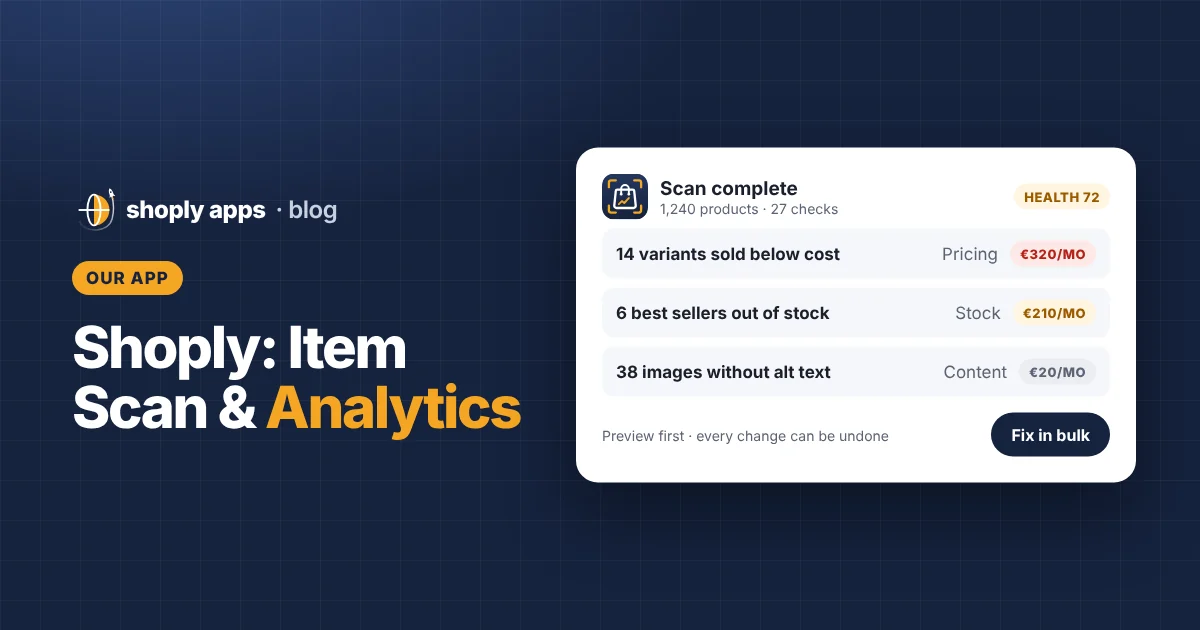
- It ranks every problem by what it costs you per month, so you fix the expensive ones first, and gives your catalog a health score.
- Fixes are one click or in bulk with a preview; it only changes a product when you choose a fix, and every change can be undone.
- It uses only Shopify's own APIs, runs in Frankfurt, Germany, doesn't store customers' personal data, and deletes your store's data when you uninstall.
- It is free to install from the Shopify App Store.
Shoply Item Scan & Analytics is a Shopify app, made by us at Shoply Apps, that scans every product in your store for 27 common problems and ranks them by the money at stake each month. It works inside your Shopify admin, suggests fixes you can apply in one click or in bulk, and never changes a product unless you choose to. This article explains what it checks, how the ranking works, how it handles your data, and what it deliberately doesn't do.
Why did we build a Shopify catalog audit app?
We built it because small catalog mistakes quietly cost money, and they pile up as a store grows. A variant priced below its cost, a best-seller that shows as in stock when it isn't, a product with no description: each one is easy to fix once you see it, and easy to miss among hundreds of products.
Our motivation was simple: the information you need to spot these problems already sits in your Shopify admin, but it is spread across product pages, inventory screens and order history. Checking it by hand means exporting spreadsheets and working through a list like our monthly catalog health checklist. That works, but most store owners don't have time to do it every month, and the list rarely tells you which problem to fix first.
So we wanted one tool that does the checking for you and answers a single question: which problems are costing me the most right now?
What does Shoply Item Scan & Analytics check?
It checks every product for 27 problems in three categories: pricing and margin (7 checks), stock (8 checks), and descriptions and content (12 checks). Each check flags a specific, fixable issue. A variant is one version of a product, such as a size or colour, with its own price, cost and stock.
Pricing and margin (7 checks)
Background: how to find products you're selling below cost.
| Check | Why it matters |
|---|---|
| Sold below cost | Every sale loses money before shipping and fees. |
| Sold at cost | You earn nothing, and lose money once fees are paid. |
| Free (price 0) | Often a mistake that lets shoppers check out for nothing. |
| Below margin target | Profitable on paper, but under the margin you set as your minimum. |
| Missing cost per item | Without a cost, nobody can tell whether the product makes money. |
| Compare-at price not higher | A "was" price equal to or below the price confuses shoppers. |
| Odd variant price gaps | Unusual price differences between variants often point to a typo. |
Stock (8 checks)
Background: out of stock and oversold on Shopify.
| Check | Why it matters |
|---|---|
| Oversold | You have taken orders you can't fill from stock. |
| Out of stock | Shoppers can't buy it, so sales go elsewhere. |
| Taking orders with no stock | Orders keep coming in while nothing is on the shelf. |
| Low stock | A warning before a product runs out. |
| Will sell out soon | Recent sales suggest stock won't last long. |
| Not selling in 60 days | Stock that ties up money without moving. |
| Inventory not tracked | Shopify can't warn you or stop overselling. |
| Stock on products not for sale | Inventory sitting on products shoppers can't buy. |
Descriptions and content (12 checks)
Background: the product page SEO checklist and GTIN, brand and product category for Google Shopping.
| Check | Why it matters |
|---|---|
| No description | Shoppers and search engines have nothing to go on. |
| Short description | Too little detail to answer buyers' questions. |
| No image | Shoppers want to see what they are buying. |
| Images without alt text | Hurts accessibility and image search. |
| No SEO description | Search engines pick their own snippet text instead. |
| SEO title too long | Gets cut off in search results. |
| Duplicate title | Confuses shoppers and search engines about which product is which. |
| Title too long for Google (optional) | Long product titles get shortened in Google listings. Runs when the Google Shopping setting is on. |
| No product type | Harder to filter, organise and report on. |
| No brand | Shopping listings rely on brand to match products. |
| No barcode (GTIN) (optional) | A GTIN is the global product number in a barcode; Google Shopping uses it to identify products. Runs when the Google Shopping setting is on. |
| No product category (optional) | Helps Shopify and sales channels understand what the product is. Runs when the Google Shopping setting is on. |
How does it rank problems by money at stake?
It puts a monthly money figure on each problem and sorts the list by that figure, so the most expensive problems sit at the top. A long list of issues is hard to act on; a list ordered by cost tells you where to start.
The idea is easiest to see with an example. The numbers below are made up for illustration, and the app's exact internal calculation is not shown here.
Example: a variant priced $2 below its cost sells 40 units a month.
Money at stake ≈ $2 × 40 = $80 a month
Compare that with a product missing alt text on its images. It is worth fixing, but it is not losing $80 a month on every sale. With money at stake, the below-cost variant comes first.
Here is how an example scan might order three problems (illustrative numbers only):
| Example problem | Example money at stake | Fix first? |
|---|---|---|
| Variant $2 below cost, 40 sold a month | $80 / month | Yes |
| Variant $1 under margin target, 25 sold a month | $25 / month | Next |
| Slow seller with images missing alt text | Small | When you have time |
The app reads your orders only to total units sold and revenue per variant over the last 60 days; it doesn't store customers' personal data. Your scan results add up to a catalog health score, a ranked list of priorities and the total money at stake each month.
What else can it do besides scanning?
Beyond the scan, the app helps you see what matters, fix it quickly, and keep on top of it over time.
See what matters
- Catalog health: a score, ranked priorities and the money at stake each month.
- Analytics: charts of prices, margins, stock and sales; click a bar to see the products behind it.
- Product page card: each product's problems shown on its own page in the Shopify admin.
Fix it fast
- Quick fixes: one click from the list of problems.
- Bulk price fixes: raise prices to your target margin, with a preview before anything is saved. If margins are new to you, our guide to pricing for a healthy profit margin explains the maths.
- Description editor: a template, a live checklist and a preview.
- Excel import and export: edit in a spreadsheet, then review every change before saving.
Stay on top of it
- Scheduled scans: every day or every week, at a time you choose.
- Alerts: email alerts through Shopify Flow, plus a weekly summary.
- History and undo: every change is logged with its old value, so you can reverse it.
How does the app handle my store's data?
It keeps data use to what the checks need and stays inside Shopify. In short:
- It works inside your Shopify admin and uses only Shopify's own APIs.
- It doesn't send your data to outside services.
- The app and its database run in Frankfurt, Germany, in the EU.
- It doesn't store your customers' personal data. It reads orders only to total units sold and revenue per variant over the last 60 days.
- Uninstalling deletes your store's data straight away.
The full details are in the app's privacy policy.
Who is it for?
It is for Shopify store owners who want a regular, prioritised check of their product data without building spreadsheets. Different stores will lean on different checks:
| If your store... | The checks you'll likely use most |
|---|---|
| Imports products from suppliers, as many dropshipping stores do | Missing cost per item, below margin target, no description, no image |
| Holds its own inventory | Oversold, low stock, will sell out soon, not selling in 60 days |
| Runs frequent sales | Compare-at price not higher, sold at cost, below margin target |
| Wants traffic from Google or Google Shopping | SEO title and description, alt text, brand, barcode (GTIN), product category |
| Has a growing catalog | Scheduled scans, weekly summary, duplicate title |
How does it work?
It works in three steps:
- Install. The app opens from Apps in your Shopify admin.
- Scan. One scan checks every product for 27 problems and ranks them by cost.
- Fix what matters first. Work down the ranked list with quick fixes or bulk fixes, previewing changes before they are saved.
How much does it cost, and when is it available?
Shoply: Item Scan & Analytics is free to install from the Shopify App Store. If we add paid plans later, we will tell merchants well in advance, and Shopify always asks for your approval before any charge.
What doesn't it do?
To be clear about its limits, here is what the app is not:
- It doesn't submit feeds to Google. It checks the product data Google Shopping relies on, but sending products to Google Merchant Center happens elsewhere.
- It doesn't change anything without your say-so. It only changes a product when you choose a fix, bulk changes are shown before they are saved, and every change can be undone.
- It isn't an inventory or ERP system. It flags stock problems in your Shopify catalog, but it doesn't manage purchasing, suppliers or warehouses. An ERP (enterprise resource planning) system is software for running those wider operations.
FAQ
Where can I get Shoply: Item Scan & Analytics?
It is free to install from the Shopify App Store. If paid plans are added later, merchants will be told well in advance, and Shopify always asks for your approval before any charge.
Will the app change my products automatically?
No. It only changes a product when you choose a fix. Bulk changes are shown to you before they are saved, and every change is logged with its old value so it can be undone.
Does it store my customers' personal data?
No. It reads orders only to total units sold and revenue per variant over the last 60 days. The app and its database run in Frankfurt, Germany, and uninstalling deletes your store's data straight away.
Does it send my products to Google Shopping?
No. It checks the product data Google Shopping relies on, such as barcode (GTIN), brand and product category, but it does not submit feeds to Google Merchant Center.
Run your first scan
Shoply: Item Scan & Analytics is free on the Shopify App Store. Install it, run a scan and see which products cost you money.
Install free on Shopify