
How to translate a Shopify store: a step-by-step guide
Key takeaways
- Add a language in Settings > Languages, translate your content, then publish the language. Until you publish it, shoppers can't see it.
- Shopify's own Translate & Adapt app covers most stores. Other translation apps are worth a look if you need many languages or a review workflow.
- Translate more than product pages: collections, SEO titles and descriptions, image alt text, menus, theme text, emails and policies all count.
- Machine translation is a good first draft. Have a native speaker check your best sellers, checkout wording and policies.
- When you edit the original text, the translation goes out of date. Check for outdated translations after every big change.
Selling to shoppers in their own language builds trust. A visitor from Germany or Spain is more likely to buy when the product page, the checkout and the order email all speak their language. Shopify makes this possible without a second store, but the setup has a few steps that are easy to miss. This guide shows you how to translate a Shopify store, what to translate, and how to keep translations correct when your products change.
How do I add a language to my Shopify store?
Languages live in your store settings. The steps below follow Shopify's help page on managing languages:
- In your Shopify admin, go to Settings > Languages.
- Click Add language and pick a language.
- Choose where the language should be available (your domain or markets).
- Add your translations (see the next sections).
- Back in Settings > Languages, open the menu next to the language and click Publish.
You can publish a language before you translate anything, but then shoppers only see Shopify's default theme and checkout text in that language. Your product names and descriptions stay in the original language. So translate first, publish second.
When a language is published, Shopify gives each translated page its own address by adding the language code to the URL, for example yourstore.com/de/products/.... This matters for search engines. Our guide to Shopify international SEO explains how those URLs and hreflang tags work.
Translate & Adapt or another Shopify translation app?
To add translations you need a translation app. Translate & Adapt is Shopify's own app. It lets you type translations by hand side by side with the original, or use automatic translation from Shopify for a quick first version. You can also export and import translations as a CSV file if you work with a translator.
Translate & Adapt is enough for many small stores that sell in one to three languages. Other translation apps on the Shopify App Store add things like more automatic languages, translation memory, glossaries, image swaps or team review. Before you pick one, ask:
- How many languages do you need now, and in a year?
- Will a person review the translations, or will you rely on machine translation?
- Can the app show you what is missing or out of date?
- Does it store translations in Shopify itself, so they keep working if you remove the app?
The last point matters. Translations saved in Shopify are used by your theme, checkout and search engines in the normal way.
One more piece of advice: add languages slowly. One extra language that is fully translated and checked usually sells better than three that are half done, and it is far easier to keep up to date.
What should you translate on Shopify?
Most stores translate product titles and descriptions and stop there. Shoppers notice the gaps straight away: an English menu, an English button, an English shipping email. Use this list to cover the whole store.
| Content | Why it matters | Often missed? |
|---|---|---|
| Product titles and descriptions | The main sales text | No |
| Product options and variants (size, colour) | Shown on every product page and in the cart | Yes |
| Collections | Titles and descriptions on category pages | Sometimes |
| SEO titles and meta descriptions | What shoppers see in search results | Yes |
| Image alt text | Accessibility and image search | Yes |
| URL handles | Readable links in the local language | Yes |
| Menus and theme text | Navigation, buttons, banners, footer | Sometimes |
| Pages and blog posts | About, FAQ, size guide, shipping info | Sometimes |
| Checkout | The step where trust matters most | Custom wording, yes |
| Email notifications | Order and shipping emails | Yes |
| Policies | Refund, shipping, privacy and terms | Yes |
A few notes on the trickier items:
- SEO titles and descriptions. If you never set a custom SEO title or meta description, Shopify uses the product title and description, and uses the translated ones in other languages. If you did set custom ones, translate them too. Our product page SEO checklist covers how to write them.
- URL handles. According to Shopify's Translate & Adapt help, automatic translation doesn't translate handles. Add them by hand for each language if you want local-language URLs.
- Checkout. Shopify's checkout comes already translated into many languages. You only need to translate custom wording you added yourself.
- Emails. Shopify sends notifications in the language the customer used to order, if translations exist for it. You can edit them from Settings > Notifications, as described in Shopify's checkout and notifications help.
Before you translate, make sure the original is in good shape. Missing alt text or empty SEO fields in your main language will be missing in every language. Shoply: Item Scan & Analytics checks your catalog for these gaps, including SEO titles, meta descriptions and alt text.
Machine translation or human translation?
Machine translation is fast and cheap, and today it is usually readable. But it can get product details wrong: sizes, materials, care instructions, or a word that means something else in your niche. It also can't know your brand's tone.
A sensible middle way for a small store:
- Use automatic translation for a complete first version, so nothing is left in the wrong language.
- Ask a native speaker to review the pages that matter most: your top 10 to 20 products, the homepage, the checkout wording, shipping and refund policies.
- Make a short glossary of words that should never change, such as your brand name, product line names and sizes.
- Fix mistakes in the translation app, not in a separate document, so the store always has the latest version.
A quick way to review: open the translated product page on your phone and read it as a shopper. If anything sounds odd or unclear, fix it.
What happens to translations when you change the original text?
This is where many translated stores slowly go wrong. You change a product description in English, for example a new material or a new delivery time. The German and French versions still show the old text. Shoppers in those countries now read wrong information.
Shopify marks such translations as outdated: the original changed, but the translation wasn't updated. Shopify's help explains that its automatic translation can update outdated machine translations, but it leaves translations you added or edited by hand alone. That is the right choice, but it means you have to check your own translations yourself.
Good habits:
- After a big product update, review outdated translations for that product.
- Once a month, look for outdated and missing translations across the whole store.
- Start with the products that earn the most. An outdated page on a best seller costs more than one on a product that rarely sells.
Shopify translation checklist
- Language added in Settings > Languages and assigned to the right domain or market.
- Product titles, descriptions, options and variants translated.
- Collections, pages, blog posts and menus translated.
- Custom SEO titles, meta descriptions and image alt text translated.
- URL handles translated by hand, if you want local URLs.
- Theme text checked on every page type: home, collection, product, cart, search, 404.
- Custom checkout wording and email notifications translated and previewed.
- Refund, shipping, privacy and terms policies translated.
- Top products and policies reviewed by a native speaker.
- Language published, and the language selector tested on desktop and phone.
- A monthly check for missing and outdated translations on your calendar.
If you also sell in other currencies and countries, read our guide to Shopify Markets next. Languages and markets work together.
FAQ
Is Translate & Adapt enough to translate a Shopify store?
For many small stores, yes. It covers products, collections, pages, menus, theme text, notifications and policies, with manual and automatic translation. Stores with many languages or a review team may prefer another translation app.
Do I need to translate the Shopify checkout?
Shopify's checkout already comes translated into many languages. You only need to translate custom checkout wording that you added yourself.
Does Shopify translate URLs automatically?
No. Automatic translation in Translate & Adapt does not translate URL handles. If you want local-language URLs, add a translated handle by hand for each language.
What is an outdated translation on Shopify?
A translation whose original text was changed after it was translated. Shoppers in that language still see the old wording until you update it.
Find missing and outdated translations
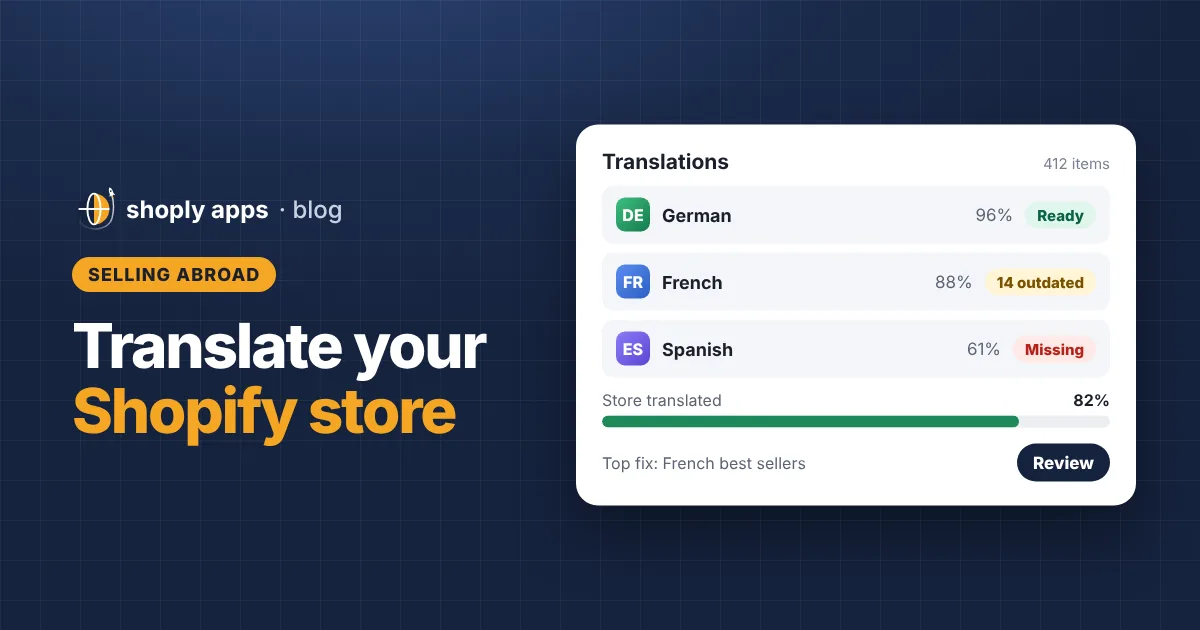
Shoply: Translation & Markets shows what is missing or out of date in each language, ranks the gaps by money at stake, and lets you fix them in a translation editor with undo. Coming soon.
See Translation & Markets