
Shopify Markets explained: how to sell internationally
Key takeaways
- A market is a group of customers, usually one or more countries, that gets its own settings: currency, languages, domain, products and prices.
- You create markets in your Shopify admin under Markets. A market for one country gets that country's currency automatically.
- Use catalogs to decide which products each market can buy, and at what price.
- Subfolders such as
/en-caare the simplest way to give each market its own URL. - Before you open a new country, check translations, prices, shipping, taxes and duties, not just the currency.
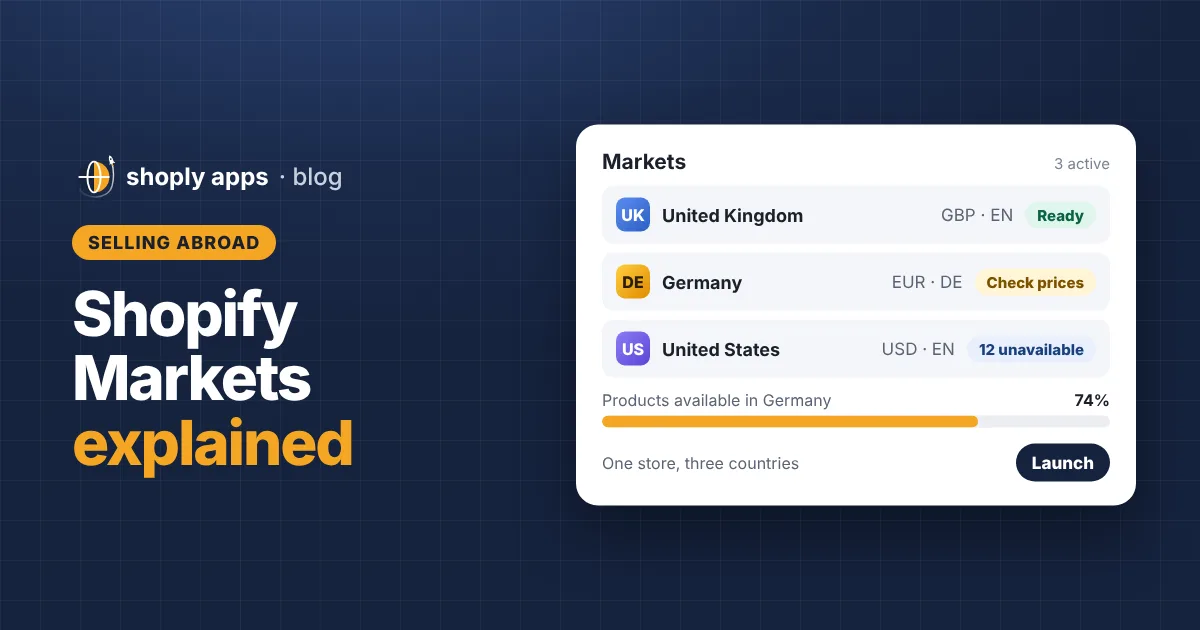
Shopify Markets is how one Shopify store sells to several countries. Instead of running a separate store for each country, you set up markets inside one store and give each market its own currency, language, address and product range. This guide explains Shopify Markets in plain words, shows how to set up a market, and ends with a checklist you can use every time you start selling to a new country.
What is a market in Shopify?
In Shopify, a market is a group of customers you choose to treat the same way. For selling abroad, a market is usually one country (for example Germany) or a group of countries (for example the European Union). Each market has its own settings, which Shopify calls customizations:
- Currency: which currency shoppers see and pay in.
- Languages: which of your published languages are offered.
- Domain or subfolder: the web address for that market.
- Products and prices: what shoppers can buy, and how much it costs.
Shopify also uses markets for other kinds of selling, such as B2B or retail. This guide sticks to selling to other countries. Shopify's Markets help pages cover the rest.
How do I set up Shopify Markets?
- In your Shopify admin, go to Markets.
- Click Create market and give it a clear name, such as "Germany" or "Nordics".
- Choose the countries or regions the market covers.
- Set the currency, languages, domain and products (see below).
- Set the market's publishing status so it goes live only when you're ready to sell.
Start small. For most small stores, two or three markets are plenty in the first year. Pick the countries where you already get visitors or orders: your analytics show where traffic comes from, and a country that already sends a handful of orders a month with no local currency or language is a good first candidate.
Which currency will shoppers see?
When you create a market for a single country, Shopify sets the currency to that country's local currency, for example yen for Japan. A market with several countries starts with your store's main currency, with local currencies turned on.
Showing a price in a local currency is one thing; charging in it is another. Whether customers can actually pay in their own currency depends on your payment provider. Shopify Payments supports this, but not every provider does. Check your payment settings before you launch.
How do languages work with markets?
You add and publish languages once, in Settings > Languages. Then you choose which of them each market offers. A Swiss market might offer German, French and English; a German market might offer German and English.
A market only feels local when its language is fully translated: products, menus, checkout wording, emails and policies. Our guide on how to translate a Shopify store walks through every part.
Domains or subfolders for each market?
Each market can have its own web address. You have three options:
- Subfolders on your main domain, such as
yourstore.com/en-caoryourstore.com/fr-fr. - Subdomains, such as
ca.yourstore.com. - Country domains, such as
yourstore.de.
Shopify's help recommends subfolders for most stores. They are the easiest to set up, need no extra domain, and share the search strength your main domain has already built. Shopify adds hreflang tags automatically, so search engines know which version is for which country. Our guide to Shopify international SEO compares the options in more detail.
How do you choose which products sell in each market?
Not every product should sell everywhere. Some can't be shipped to certain countries, some are seasonal, and some don't make money after shipping costs. Shopify uses catalogs for this. A catalog is a list of products, with optional custom prices, that you assign to a market. Products outside the catalog aren't available to shoppers in that market.
Keep a short note of why each product is or isn't in a market. When you add new products, remember to add them to the right catalogs too, or shoppers abroad won't see them.
Local prices and rounding
By default Shopify converts your prices into the market's currency. After conversion, rounding can turn an odd number like 27.43 into a neat price point. You can also adjust prices for a market up or down by a percentage, or set fixed prices for chosen products.
Converted prices are fine to start with, but check that they still make sense: do they cover the extra shipping, and do they look like normal local prices? Our guide to Shopify multi-currency pricing covers this in depth, and the free currency price converter shows one price in up to 30 currencies, with optional local VAT and .99 rounding.
Taxes and duties: the basics
Selling abroad brings two cost questions: sales tax or VAT, and import duties.
- VAT and sales tax. Rules depend on where you are based and where you sell. In the EU, for example, VAT on online sales to consumers in other EU countries usually depends on the customer's country. Read our guide to EU VAT for Shopify stores and try the EU VAT calculator.
- Duties and import taxes. When goods cross a border, the customer may have to pay duties on delivery. That is a common reason for refused parcels. Shopify can collect estimated duties and import taxes at checkout instead, set up under Settings > Taxes and duties. It needs HS codes and country of origin on your products and a carrier that supports this kind of shipping. See Shopify's help on charging duties.
Tax rules are serious. If you are not sure what applies to you, ask an accountant before you open a new country.
Example: one store, three markets
Here is how a small homeware store based in Ireland might set things up:
| Market | Countries | Currency | Languages | Address | Products |
|---|---|---|---|---|---|
| Ireland (main) | Ireland | EUR | English | yourstore.com | All |
| United Kingdom | UK | GBP | English | /en-gb | All except large furniture |
| Germany | Germany | EUR | German, English | /de-de | Best sellers only, to start |
The store keeps one product catalog and one set of orders, but each country gets a store that looks local. The German market starts with a smaller range, so the owner can translate and check those products properly first.
Checklist: launching a new country
- Market created, with the right countries and a clear name.
- Currency set, and your payment provider can charge in it.
- Language published and assigned to the market, with products, menus, checkout wording, emails and policies translated.
- Domain or subfolder set, and the country and language selector tested.
- Catalog checked: only products you can ship and sell at a profit.
- Prices checked after conversion and rounding, including shipping costs.
- Shipping zone and rates set up for the country.
- VAT or sales tax registration checked, and duties handled at checkout or explained to customers.
- Product data complete in your main language first: SEO titles, descriptions and alt text.
- A test order placed from the new market, including the order email.
For the last data point, Shoply: Item Scan & Analytics runs a catalog audit that finds missing SEO fields, alt text and other product problems, ranked by the money at stake.
FAQ
What is Shopify Markets?
Shopify Markets is the part of Shopify that lets one store sell to several countries. Each market is a group of customers, usually one or more countries, with its own currency, languages, web address, products and prices.
Do I need a separate Shopify store for each country?
Usually not. With Markets, one store can show local currencies, languages and product ranges to each country, while you manage one set of products and orders.
Can customers pay in their own currency?
Shoppers see prices in the market's currency. Whether they can also pay in it depends on your payment provider. Shopify Payments supports it, so check your payment settings before launch.
How do I stop a product selling in one country?
Use catalogs. A catalog lists the products, with optional custom prices, that a market can buy. Leave the product out of that market's catalog.
See how ready each market is
Shoply: Translation & Markets checks every market for missing and outdated translations, products that are not available and odd local prices, ranked by money at stake. Coming soon.
See Translation & Markets