


Shopify multi-currency pricing: how to set local prices that look right
Key takeaways
- Shopify can convert your prices for you (automatic conversion) or you can set fixed prices per market. Fixed prices always win over automatic conversion.
- Automatic prices follow the exchange rate, so they move a little during the day. Rounding keeps them looking tidy, like €24.95 instead of €24.73.
- Shopify adds its currency conversion fee into automatically converted prices. With manual rates or fixed prices, the fee comes out of your payout instead.
- Shoppers in the EU and the UK expect prices that already include VAT. Plan for each country's VAT rate, or one price can earn you less in one country than in another.
- Pick your local prices once, on purpose, for your best sellers. Then check them every few months.
Selling abroad on Shopify is easy to switch on. Getting the prices right is harder. A €19 product can turn into £16.53 in the UK or 209.38 kr in Sweden, and prices like that look odd to local shoppers. This guide explains how Shopify multi-currency pricing works, how price rounding works, and how to set local prices that look normal and still protect your profit.
How does Shopify multi-currency pricing work?
When you add a market (a country or group of countries) in Shopify, you choose its currency. Shoppers in that market then see prices and pay in their own currency. You have two ways to set those prices:
- Automatic conversion. Shopify takes your store price and converts it with the current exchange rate. You can also raise or lower all prices in a market by a percentage, for example +5% for a country where shipping costs you more.
- Fixed prices per market. You type in the exact price for a product in that market, such as £24.99. According to Shopify's help page on price adjustments, a fixed price overrides any percentage adjustment you set.
Most small stores start with automatic conversion for everything, then set fixed prices for their best sellers in their biggest markets. That keeps the work small and puts your effort where the money is.
Which exchange rates does Shopify use, and when do they update?
With automatic conversion, Shopify uses the current market rate. Shopify's help page on exchange rates describes it like this: the price is multiplied by the exchange rate, the currency conversion fee is added, and then the currency's rounding rule is applied. The rates come from the financial markets and are updated regularly during the day.
Local price = Store price × Exchange rate + Conversion fee, then rounded
That means a converted price can change from one day to the next, even if you did nothing. Usually the change is hidden by rounding, but on bigger prices it can show.
You can also set a manual exchange rate for a currency. Then the price only changes when you change the rate. The catch: you have to keep the rate up to date yourself. If the currency drops and you don't update it, you are selling for less than you think.
Many accountants and tools use the European Central Bank's euro reference rates as a neutral reference. The ECB publishes them around 16:00 CET on working days. Our free currency price converter uses these rates to turn one price into up to 30 currencies at once.
How does Shopify price rounding work?
Raw converted prices look strange: €24.73, £21.18, 287.46 kr. Rounding fixes that. You turn it on per market, in that market's currency settings. According to Shopify's help page on rounding:
- Prices are rounded up to the most common price ending for each currency. Shopify's own example rounds a converted €8.81 up to €8.85.
- The default rounding rules can't be changed. Depending on your plan, you may get more options.
- Rounding is only available if you use Shopify Payments.
- Rounding rules don't apply to gift cards.
- Because shipping rates are rounded too, the checkout total can differ by a cent from the price shown before checkout.
Rounding only works on automatically converted prices. If you set a fixed price, Shopify shows exactly what you typed. So for an exact ending of your choice, set fixed prices per market for the products that matter, or use a pricing app that sets them for you.
Should local prices end in .99 or .95?
Prices that sit just below a round number, like 24.99 or 24.95, are called charm prices. There is no rule that works in every country, so the quickest research is also the best: open two or three stores that sell to the country you're targeting and look at how they end their prices. Copy the habit, not the exact price.
Currencies with big numbers work differently. In Swedish kronor or Japanese yen, prices normally end in a whole number, such as 349 kr. Cents there look like a conversion mistake, which is exactly what they are.
Two smaller points. Use one ending per market; a store where one product ends in .99 and the next in .95 looks less looked after. And if your margin is thin, round up rather than down. Rounding down by 30 cents on every product doesn't feel like much, but across a year of orders it adds up.
Do prices need to include VAT for EU and UK shoppers?
Yes, for shoppers who are consumers. In the EU, the price indication rules say the selling price shown to consumers is the final price, including VAT and other taxes. The UK has a similar rule for prices shown to consumers. US shoppers are different: they are used to seeing sales tax added at checkout.
Shopify has a setting for this. Under Settings > Taxes and duties you choose whether your prices include tax. With dynamic tax-inclusive pricing, Shopify can show tax-inclusive prices in VAT countries and tax-exclusive prices elsewhere. Note two limits from Shopify's help page: it changes product prices, not shipping rates, and it doesn't change fixed prices you entered for a market. If you use fixed prices, type them in with VAT already included.
VAT rates differ a lot by country, from 17% to 27% across the EU. The same VAT-inclusive price leaves you less money in a 25% country than in a 19% one. Our EU VAT calculator shows every country's rate, and pages like VAT in Sweden add or remove VAT for one country. For the tax rules behind this, see our guide to EU VAT for Shopify stores.
What does selling in other currencies cost?
When a shopper pays in a currency that isn't your payout currency, Shopify Payments charges a currency conversion fee on top of the normal payment fee. Shopify's fees page lists it as 1.5% for stores in the United States and 2% for most other countries. Check the page for your country, as fees can change.
- Automatic rates: the fee is built into the converted price the shopper sees.
- Manual rates and fixed prices: the fee comes out of your payout. Add a small buffer to your fixed prices to cover it.
- Refunds: Shopify doesn't return the conversion fee or card fees when you refund an order.
To see what all fees do to one order, try our free Shopify profit margin calculator.
Worked example: one price in EUR, GBP, USD and SEK
Say you sell a tote bag and want to earn €25.00 per sale before VAT. You charge local VAT where it applies and add a 2% buffer for the conversion fee. The exchange rates below are example rates only; use today's rates for your own prices.
| Market | Rate (example) | Converted | +2% fee | VAT | With VAT | Local price |
|---|---|---|---|---|---|---|
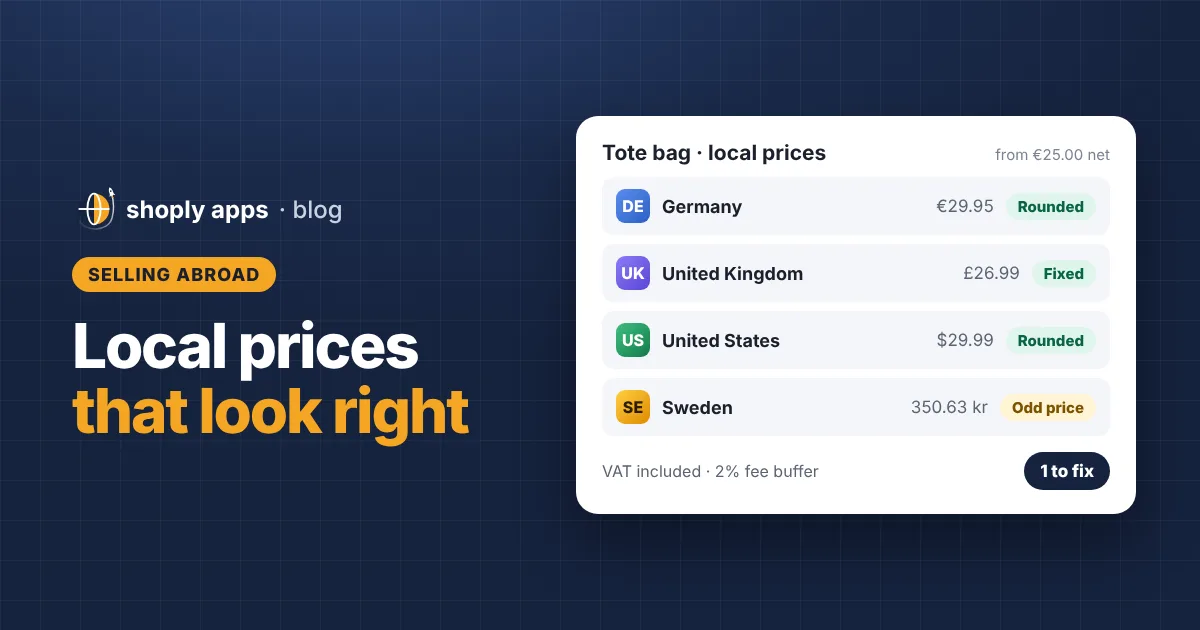
| Germany (EUR) | 1.00 | €25.00 | no fee | 19% | €29.75 | €29.95 |
| UK (GBP) | 0.87 | £21.75 | £22.19 | 20% | £26.62 | £26.99 |
| US (USD) | 1.16 | $29.00 | $29.58 | at checkout | $29.58 | $29.99 |
| Sweden (SEK) | 11.00 | 275.00 kr | 280.50 kr | 25% | 350.63 kr | 349 kr |
Germany needs no conversion fee because the store already sells in euros. In the US, sales tax is added at checkout, so the shown price has no tax in it. In Sweden we rounded down to 349 kr because a whole number ending in 9 looks normal there; that costs about 1.63 kr per sale, which is fine with a healthy margin. With a thin margin, 359 kr would be the safer choice.
This is the same calculation our currency price converter does for you: pick the currencies, add local VAT and a fee buffer, and round to .99 or whole numbers.
Shopify local pricing checklist
- Decide which markets get automatic prices and which get fixed prices. Start with fixed prices for your top 10 to 20 products in your biggest market.
- Turn on rounding for every market that uses automatic prices.
- Check your tax setting under Settings > Taxes and duties, so EU and UK shoppers see prices with VAT included.
- Enter fixed prices with local VAT already included, plus a small buffer for the conversion fee.
- Use one price ending per market, based on what local stores do.
- Place a test order in each market and compare the checkout total with the product page.
- If you use manual exchange rates, put a reminder in your calendar to review them every month.
- Every few months, check your profit per market. A currency that dropped can quietly turn a good price into a weak one.
A local price is only useful if shoppers can also read the page in their language and buy the product there. Our guides on setting up Shopify Markets and translating your Shopify store cover those steps.
Checking hundreds of prices by hand across several markets is slow. That is why we are building Shoply: Translation & Markets. It scans your store per market and points out odd local prices, missing translations and products that aren't available in a market, so you can fix the ones that matter first.
FAQ
Does Shopify convert prices automatically?
Yes. When a market uses a different currency, Shopify converts your store price with the current exchange rate, adds the currency conversion fee and then applies rounding if you turned it on. You can replace the converted price with a fixed price per market whenever you want.
How often do Shopify exchange rates update?
With automatic conversion, Shopify uses market rates that are updated regularly during the day, so converted prices can move a little. With a manual exchange rate, the rate only changes when you change it.
Can I choose my own price endings like .99 on Shopify?
Rounding on automatically converted prices rounds up to a common ending for each currency. For an exact ending of your choice, such as 24.99 or 349 kr, set a fixed price for that product in that market.
Should prices for EU and UK shoppers include VAT?
Yes. Prices shown to consumers in the EU and the UK should be the final price with VAT included. In Shopify you control this under Settings > Taxes and duties, and fixed market prices should be entered with VAT already included.
See how ready your store is for every country
Shoply: Translation & Markets finds odd local prices, missing or outdated translations and products not sold in a market, country by country. It's coming soon.
See Translation & Markets