


How to increase average order value on Shopify: 12 practical ways
Key takeaways
- Average order value (AOV) is your sales after discounts divided by the number of orders. Shopify shows it in Analytics.
- The easiest ways to raise it are bundles, volume discounts, cross-sells, a free shipping threshold, a free gift above a set amount and a minimum spend on discount codes.
- A higher AOV is not the goal. Profit per order is. A discount can push AOV up and still leave you with less money.
- Change one thing at a time, compare 30 days before and after, and look at profit per order and number of orders, not only AOV.
- If a tactic runs through an app, count the app's price and the gifts or discounts it gives away.
Getting a new customer is expensive. Getting a customer who is already buying to add one more thing is much cheaper. That is why average order value, or AOV, is one of the most useful numbers in a small Shopify store. Below: how to increase average order value on Shopify with 12 practical tactics, how AOV is calculated, where Shopify shows it, and the maths to check so that a bigger order also means more profit.
What is average order value and how do you calculate it?
Average order value is the average amount a customer spends in one order. Shopify works it out like this:
AOV = (Gross sales − Discounts) ÷ Number of orders
For example, if you sold €12,600 of products in a month, gave €600 of discounts and had 300 orders, your AOV is €12,000 ÷ 300 = €40.
Shipping and taxes are not part of this number, and neither are returns or edits made after the order was placed. Shopify changed its AOV definition to "gross sales minus discounts" in 2023, so an older spreadsheet of yours may use a different formula. Use one formula and stick to it.
Where do you find AOV in Shopify analytics?
In your Shopify admin, go to Analytics. The main dashboard shows average order value for the date range you pick. For more detail, open Analytics → Reports and search for the average order value report, which shows AOV over time. Report names change from time to time, so search for "average order value" if you don't see it straight away.
Two tips. Compare the same length of time, such as 30 days against the 30 days before. And watch out for sale periods: a Black Friday week will look very different from a normal week.
12 ways to increase average order value on Shopify
You don't need all of these. Pick two or three that fit your products, try them one at a time and measure each one.
1. Sell bundles
Put products that are used together into one bundle with a small saving, such as a shampoo, conditioner and brush. Shoppers buy more items in one go, and you choose which items go together. Our guide to Shopify product bundles shows how to price a bundle so your margin holds.
2. Offer volume discounts
"Buy 2, save 10%" or "3 for €30" works well for products people use up, like socks, coffee or skin care. Keep the saving small. The second item should still make you a good profit.
3. Show cross-sells on the product page and in the cart
Suggest one or two products that go with what the shopper is looking at: a case with a phone, batteries with a toy. Keep suggestions cheap compared with the main item, and don't show ten of them. One good match beats a long list.
4. Set a free shipping threshold
"Free shipping over €50" is one of the strongest nudges there is, if the amount sits a little above your current AOV. We cover how to pick the amount and protect your margin in how to set a free shipping threshold.
5. Add a free gift above a set amount
"Free tote bag on orders over €60" works like a free shipping threshold, but the reward is a product. Choose a gift that is cheap for you and feels valuable to the shopper. See our guide to free gift with purchase on Shopify for the setup and the maths.
6. Put a minimum spend on discount codes
Instead of "10% off everything", offer "10% off orders over €50". In Shopify's discount settings you can set a minimum purchase amount or a minimum number of items. Shoppers who wanted the code anyway now add a little more.
7. Use product recommendations
Most Shopify themes have a "You may also like" section. Shopify's free Search & Discovery app lets you choose complementary products by hand for each product, if your theme supports that section. Hand-picked matches usually beat random ones.
8. Try a post-purchase offer
Right after checkout, offer one more item that is added to the same order. The shopper has already decided to buy, so a small add-on is an easy yes. Before paying for an app that does this, read are Shopify upsell apps worth it?
9. Offer a bigger size or multipack
A 500 ml bottle next to the 250 ml one, or a pack of three next to a single, gives shoppers a better price per unit and you a bigger order. Make the saving per unit easy to see.
10. Add cheap "gap filler" products
If a shopper is €4 short of free shipping, they need something that costs about €4. Small add-ons like refills, accessories or samples help people reach your threshold without feeling pushed.
11. Sell gift cards
Gift cards are easy to add as a product, and they are popular before holidays. A shopper who buys for themselves may add a gift card for a friend. When the card is used later, the person spending it may add more than its value, and you may win a new customer.
12. Give a "good, better, best" choice
Show a basic, a standard and a premium version side by side. Shoppers can compare at a glance, and some will choose a better version than they planned. The premium version also makes the standard one look like good value.
Why a higher AOV can still mean less profit
This is the part most AOV advice skips. AOV counts what shoppers pay, not what you keep. A tactic that gives money away can raise AOV and lower your profit at the same time. The number to watch is profit per order:
Profit per order = AOV − Product cost − Shipping and packaging − Gifts and app costs per order
Here is a made-up store. Its product cost is half the selling price, and it pays €5 to ship a normal order (€6 for a bigger one). It compares a regular order with two offers for orders over €60.
| Regular order | 15% off over €60 | Free gift over €60 | |
|---|---|---|---|
| Basket before discount | €40.00 | €62.00 | €62.00 |
| Discount | €0.00 | −€9.30 | €0.00 |
| Order value (AOV) | €40.00 | €52.70 | €62.00 |
| Product cost | €20.00 | €31.00 | €31.00 |
| Gift cost | €0.00 | €0.00 | €3.00 |
| Shipping and packaging | €5.00 | €6.00 | €6.00 |
| Profit per order | €15.00 | €15.70 | €22.00 |
The 15% discount raises AOV by almost a third, but profit per order goes up by only €0.70. Worse, some shoppers would have spent €62 without the code. On each of those orders you simply lose €9.30. The free gift costs €3 instead of €9.30, so it keeps far more of the gain.
Two more things to watch. If an offer makes fewer people buy, total profit can fall even when profit per order rises. And if an app runs the offer, its monthly price comes out of the gain too. To check your own numbers, use our free Shopify profit margin calculator.
How do you test whether an AOV tactic works?
- Write down your starting point. Note the last 30 days: AOV, number of orders, conversion rate and, if you can, profit per order.
- Change one thing. If you add a bundle and a free gift on the same day, you won't know which one worked.
- Wait. Give it two to four weeks and a few dozen orders. Avoid holidays and big sales when you compare.
- Compare like with like. Same number of days, similar season, similar ad spend.
- Judge on profit. Did profit per order go up, and did the number of orders stay about the same? If both, keep it.
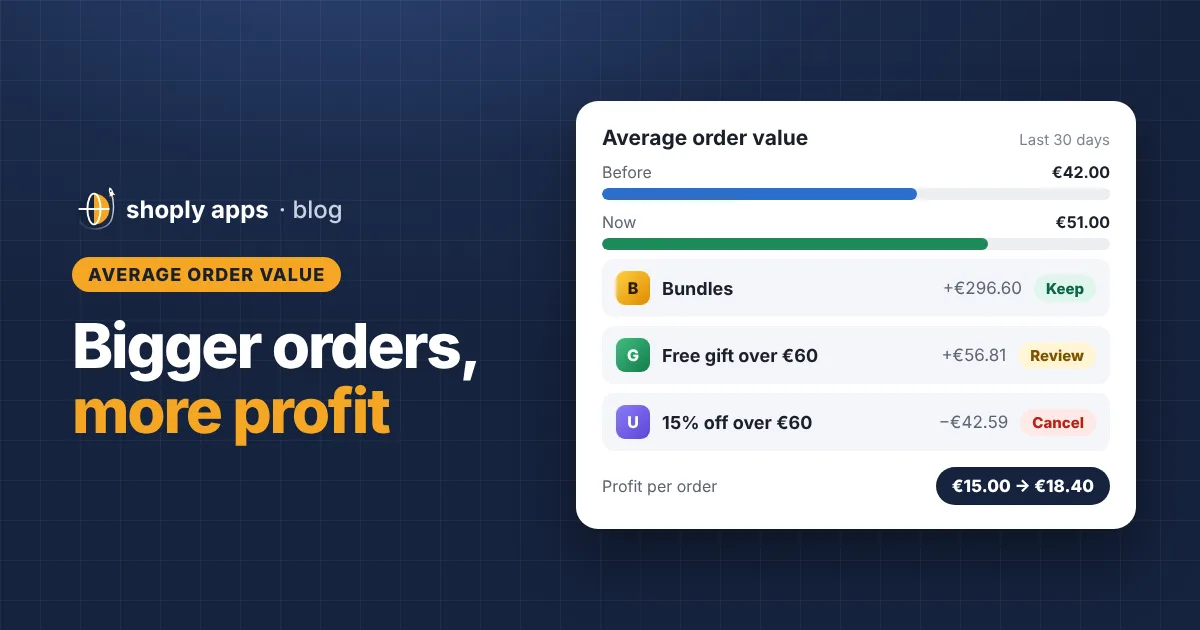
For tactics that run through an app, compare the orders that used the app with your regular orders. Our guide on how to calculate Shopify app ROI walks through it, and the free Shopify app ROI calculator does the sums for you. Our upcoming app, Shoply: Apps ROI Tracker, does this for every bundle, upsell, free-gift and discount app in your store, and shows whether each one pays for itself over 7, 30 and 60 days.
AOV checklist
- You know your current AOV, number of orders and profit per order for the last 30 days.
- Every product has a cost per item, so you can see real margins.
- You picked two or three tactics that fit your products.
- Thresholds (free shipping, free gift, discount minimum) sit a little above your current AOV.
- You have cheap add-on products that help shoppers reach the threshold.
- Discounts and gifts still leave a healthy profit on every order.
- You change one thing at a time and note the date.
- You compare profit per order and number of orders, not only AOV.
- You check every paid app against its cost each month (see our monthly app audit).
FAQ
What is a good average order value for a Shopify store?
There is no single good number. It depends on what you sell and what your products cost. The useful comparison is with your own store: is your AOV going up month by month, and is your profit per order going up with it?
Does a free shipping threshold increase average order value?
Often, yes, if the threshold sits a little above your current AOV and you have cheap products that help shoppers reach it. But you pay the shipping on every order above the threshold, including orders that were already big, so check your profit per order before and after.
Do upsell apps increase AOV?
Some do and some don't. Compare the average order of orders that used the app with your regular orders, then turn the difference into profit and subtract what the app costs. An app's own revenue number usually overstates its effect.
How long should I test an AOV tactic?
At least two to four weeks, and long enough to get a few dozen orders that used it. Compare with the same length of time before the change, and avoid comparing a sale week with a normal week.
See whether your AOV apps really pay
Shoply: Apps ROI Tracker finds your bundle, upsell, free-gift and discount apps, compares their orders with your regular orders and shows each app's extra profit, cost and ROI over 7, 30 and 60 days, with a keep, review or cancel check-up.
See Apps ROI Tracker